By Carsten Pleiser
Around the world, PowerPoint has become the default medium for presentations, conferences, and a reliable way to communicate your ideas.
If you are looking to create a great PowerPoint presentation, there are a lot of conventions and considerations to keep in mind. These include keeping things concise, drawing attention to compelling points, and importantly, using PowerPoint fonts that actually stand out.
If your font knowledge starts and ends with Comic Sans, we’ve got you covered. Let’s take a look at some of the best PowerPoint fonts you can go with and why they’re hitting the sweet spots—and what makes others not so great.
How to choose the best font for your PowerPoint presentation
1. Stick with a simple font
The first thing you want to keep in mind when choosing a PowerPoint font is to go with something simple. Most flowery or overtly creative fonts, while beautiful, are better left to communicate a short and simple message, such as in an ad or art piece. With PowerPoint, it's generally best to keep the font simple so that your message can speak for itself.
2. Opt for sans serif
For your presentation, you should opt for a sans serif font over a serif font. For those who don't know the difference (and let's face it, that's most of us), a serif font has little "tails" attached to each letter, making it look a little more traditional and a bit less modern.
For this reason, sans serif is usually—though not always—the better option in a professional setting. It's cleaner, more minimalist, and less literary in tone.
3. Account for how the font will look in different sizes
It's also important to consider how a particular font is going to look when displayed in various sizes. If you've ever created a PowerPoint, then you know that when images, animations, and layouts all come into play, it becomes impossible to stick to a consistent font size.
With that in mind, you need to be sure that a font isn't going to look gaudy when it's large, or unreadable when it's small. You also need to account for how it's going to look on a projector or a large screen. Fortunately, this is pretty easy to test—just change the font size on your computer and compare!
4. Choose complementary fonts
Lastly, you'll want to stick to complementary fonts when picking multiple fonts. Complementary fonts are simply fonts that look good together and have the right levels of contrast, symmetry, and other important design considerations already in place. In other words, you don't have to go through the trouble of matching them up.
You can learn more about complementary fonts on the internet, so definitely look for options when choosing your font.
More articles from AllBusiness.com:
- When Designing Your Company Logo, It’s Important to Understand the Psychology Behind the Process
- How to Use a Font Manager
- Tips on Formatting Your Business Plan
- Hire Employees Who Complement You, Not Who Resemble You
- 5 Keys to Creating PowerPoint Slides with Impact
What to avoid when choosing a font
Choosing a font isn't just about getting things right, but also avoiding common mistakes. Here's a short list:
- Don't use the same font for everything. Instead, choose two or three fonts to represent hierarchy, using one font for titles, another for subtitles, and another for paragraphs.
- Avoid being too colorful. Readability is more important!
- Don't use more than three fonts. It becomes distracting.
- Don't use Comic Sans or Papyrus. Just trust us on this one.
The best fonts for PowerPoint presentations
Pelicano
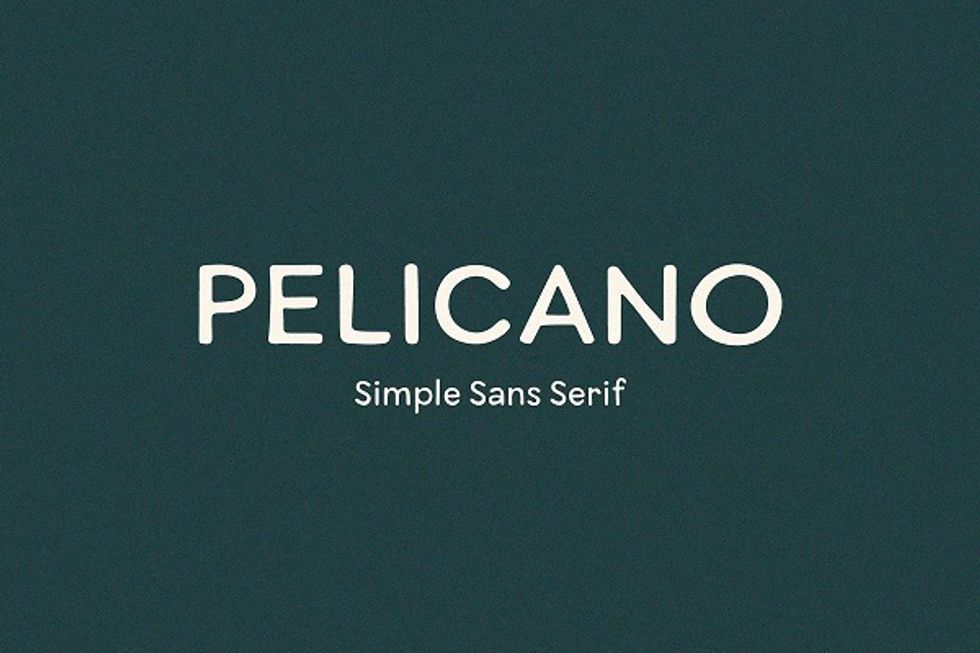
Pelicano hits all of the markers for great PowerPoint fonts. It's easy to read, minimalist, sans serif, and looks great against all sorts of colors. This one is great as a title font or body text.
Cosmopolis
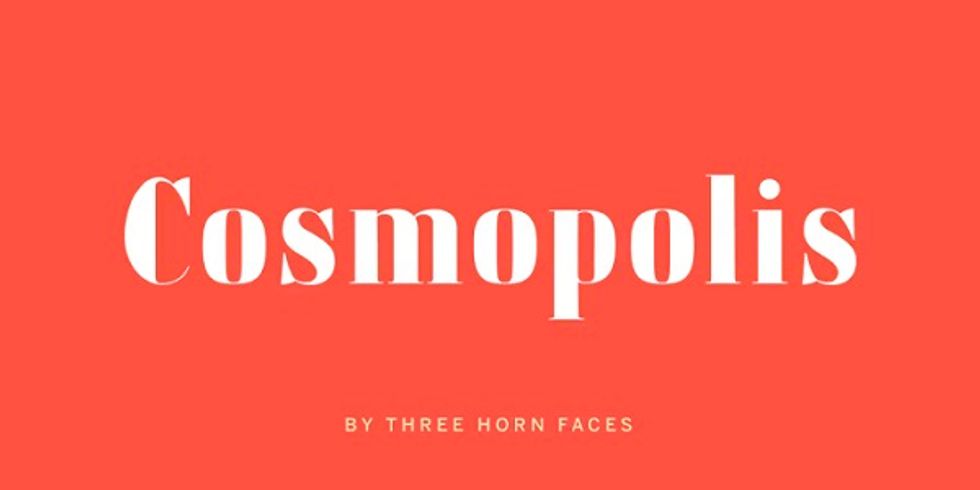
Another great option is Cosmopolis. This is sans serif as well, sporting a more lighthearted feel. Cosmopolis is a wide-set font, however, which is important to consider. Make sure that you have room for it in your slides before you commit!
Maine
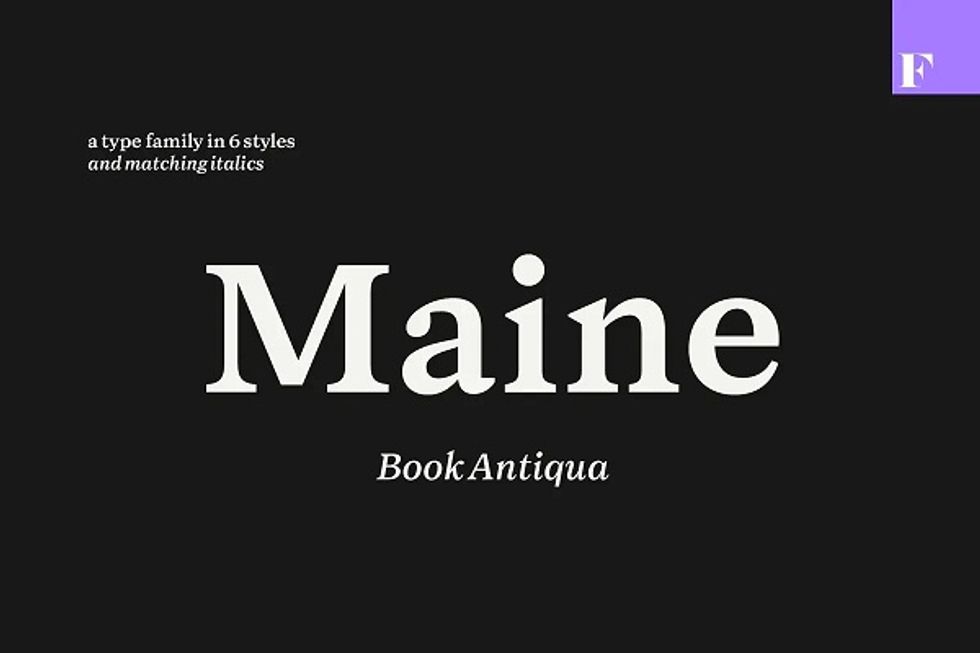
While you should avoid serif fonts when possible, some are modern and crisp enough to pass in a PowerPoint. Maine is one of these options, with a classy design that will look great on the projector.
Addington
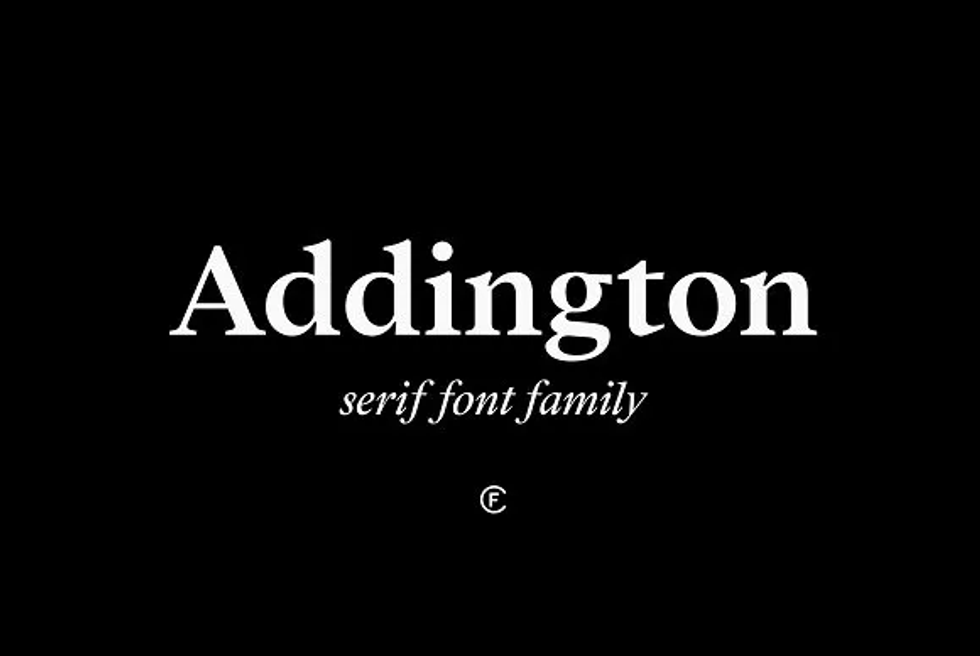
Addington is a classy and professional-looking option in this list of PowerPoint fonts that is also a serif font. It probably shouldn't be used for body text, but for titles and big points, Addington is a great choice.
Verdana
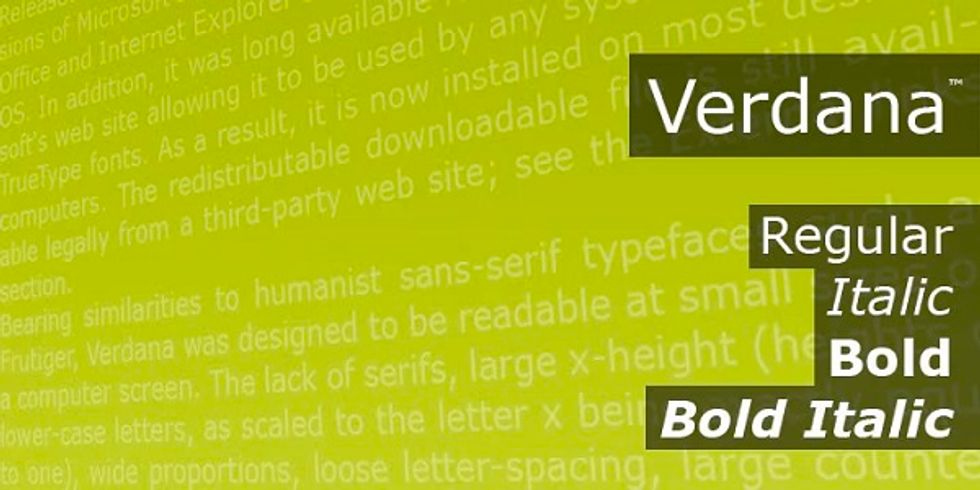
If you're looking for a built-in font rather than something you have to pay for, then Verdana is great a go-to. It's sans serif, modern in a timeless way, and designed for the screen. You can use it anywhere, though it's best used in body text.
Montas
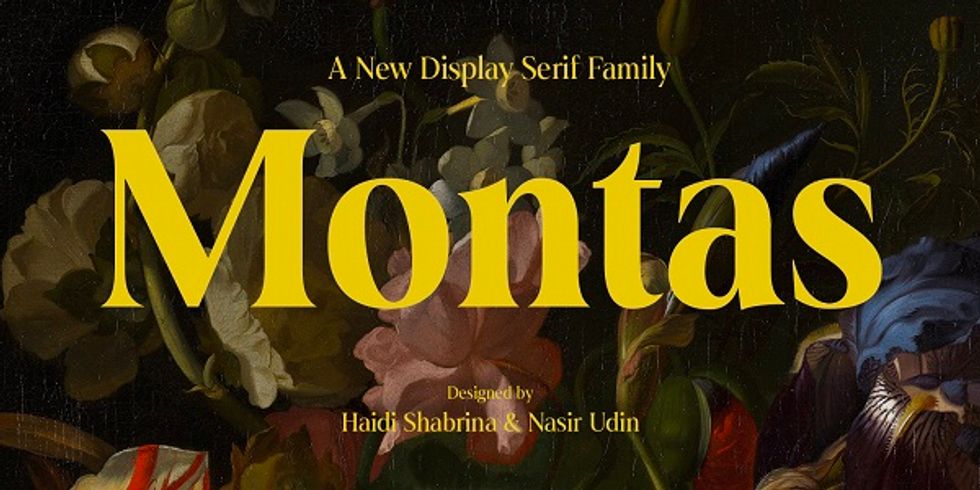
Montas is a vintage-looking serif font that is great for titles. It's bold, heavily weighted, and sure to grab attention for your presentation right away. Just remember to use it sparingly, or it may end up being distracting.
Think Sans
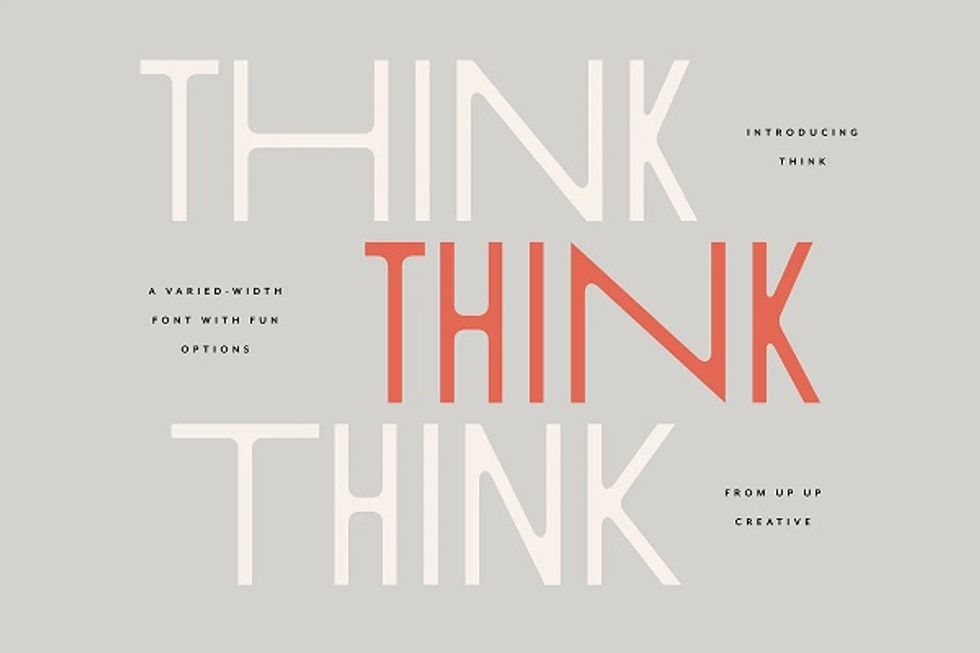
No, "Think Sans" isn't a motto, but a font! Similar to Pelicano, Think Sans is a thin sans serif font with a lot of modern appeal. But what makes Think Sans special is that it's a varied-width font, which means you can use it throughout your presentation without it ever feeling the same.
Madley
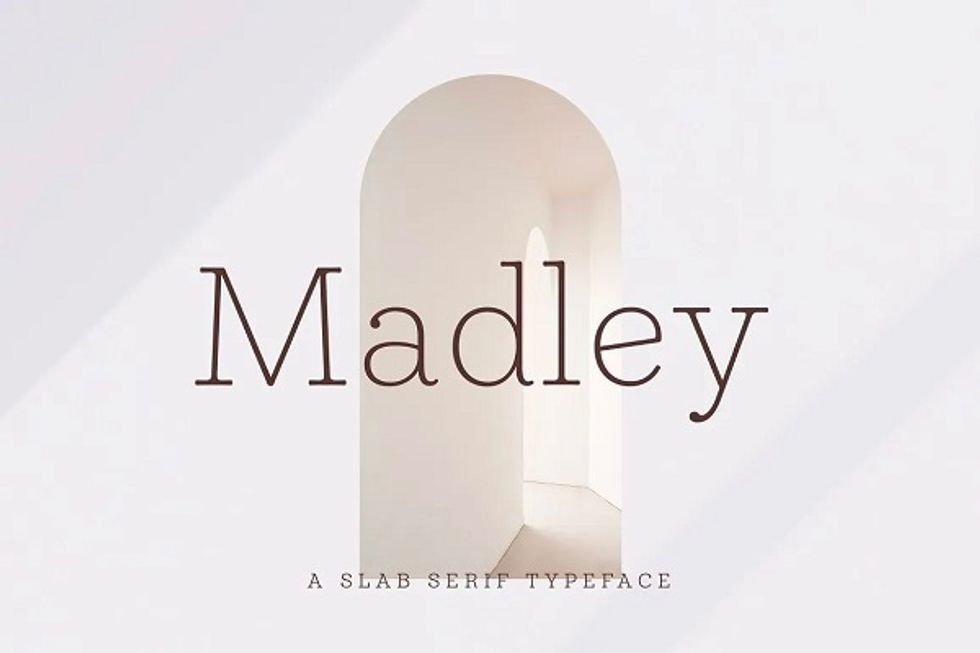
Madley is a typeface that looks like it's fresh from a typewriter. This makes it a decent title font and an even better subtitle font. It is serif, however, so it's best not to use it in body text.
Tahoma
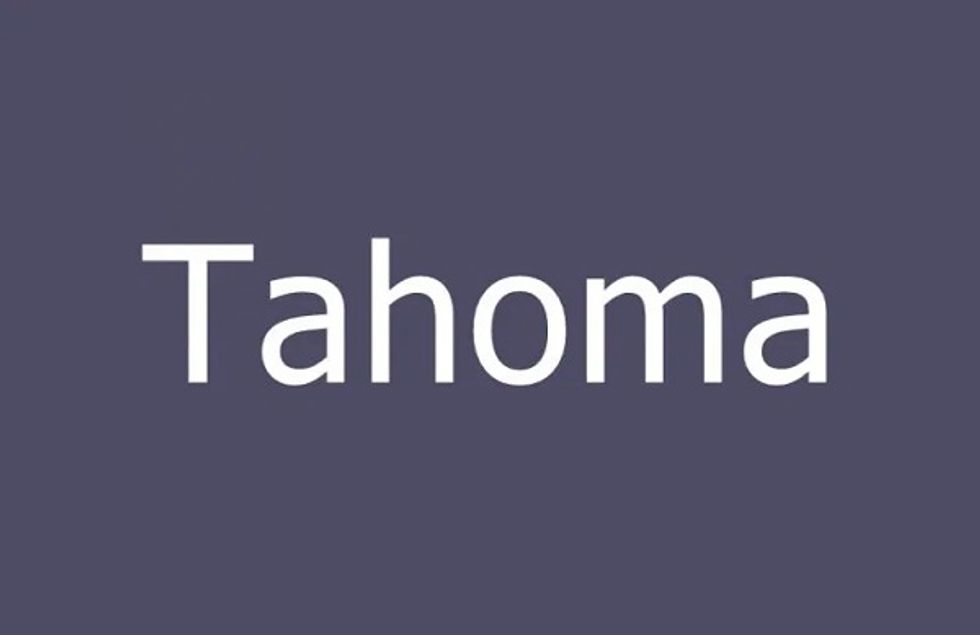
Just like Verdana, Tahoma is a widely available and minimalist san serif font. You can use it for titles, subtitles, or body text. And thanks to its simplicity, it'll always be easy to read, making it a solid contender for one of the best fonts for PowerPoint.
Birchfield Typeface
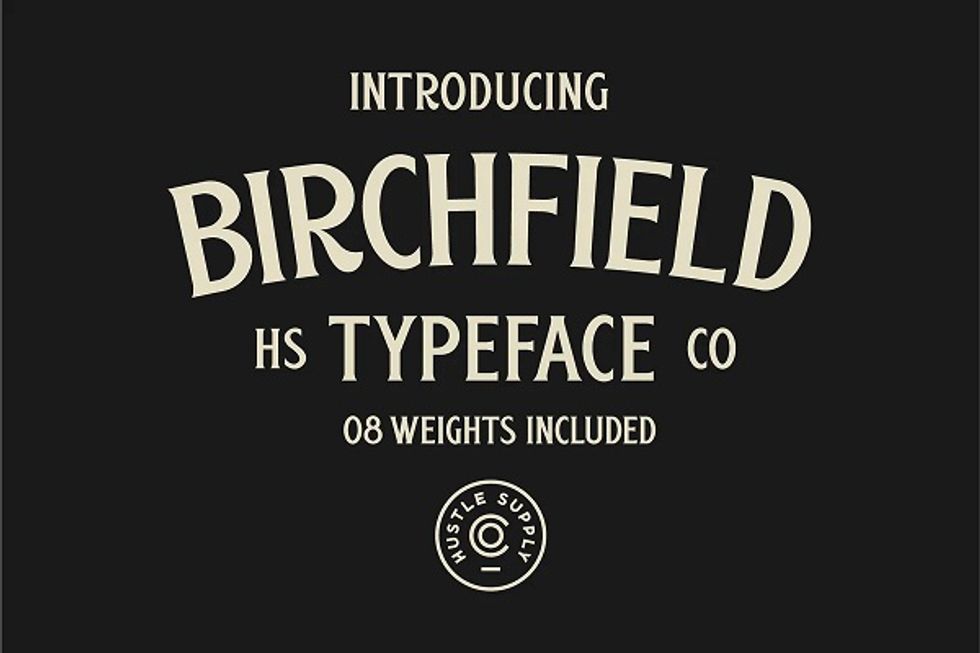
Last on this list of Powerpoint fonts is Birchfield Typeface. It's a vintage all-caps typeface, making it perfect for titling your presentations.
Create your own PowerPoint presentation
Selecting the right font for your PowerPoint slides is more of a creative exercise than a scientific one. No rules are set in stone. The topic of your presentation and the nature of the project are also factors. Our list of the best fonts for PowerPoint has these core fundamentals already in mind, so you can focus on more important things. By following these guidelines, you'll be on your way to creating a brilliant PowerPoint presentation.
RELATED: 7 Tips for Balancing Your Creative Writing Skills With Your Marketing Writing Goals