By Andy Patrizio
Among PC vendors, only Dell seems really interested in taking the fight to Apple when it comes to notebook design. While other firms stress functionality, Dell is trying to match Apple with slick, stylish bodies to match its products' high-tech innards.
Dell made a go at the ultra-thin market with its Adamo line, but the Adamo was hampered by poor performance. To make the laptop thin meant keeping the cooling element thin -- forcing Dell to tune down the CPU and everything else to reduce heat. The result was little more than an expensive netbook.
With its XPS 15z laptop, Dell took lessons learned from the Adamo and combined those with Intel's new Sandy Bridge processor architecture, which runs cooler than previous processors. The result is a thinner, faster laptop that combines desktop power with a design that will let you stick out your tongue at the MacBook hipsters at the local Starbucks.
Thin Is In
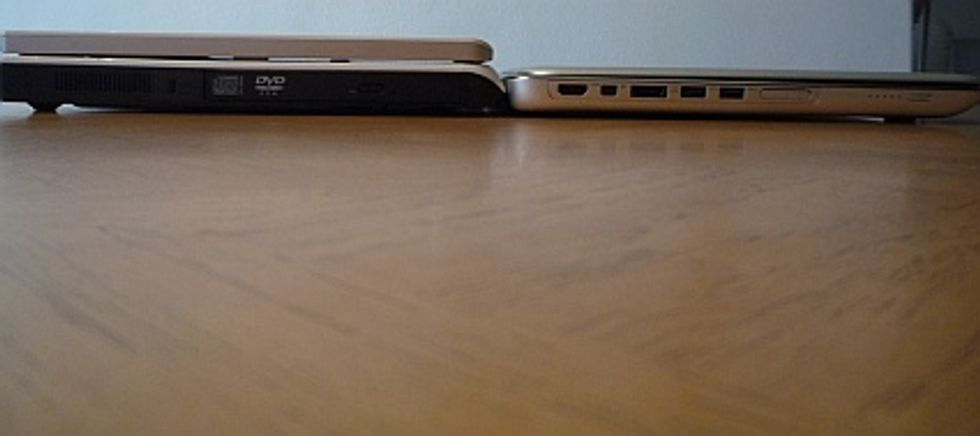
Right away, I noticed how thin the XPS 15z really is. I placed it next to my Dell Inspiron E1505 laptop; as the photo below shows, the entire 15z is slightly thinner than the lower half of my Inspiron. The lid on the 15z alone hardly accounts for any thickness thanks to its ultra-thin 15-inch LED screen. It's just a shame the screen doesn't go all the way to the edge like the MacBook does.
For its $999 to $1,199 price tag the XPS 15z serves up a dual-core Core i5 or i7; 4GB or 8GB of dual-channel DDR3 memory; Nvidia's Optimus graphics, so you can switch on the fly between power-saving integrated graphics and performance-oriented discrete graphics; and a 7,200 RPM 750GB drive.
At 5.5 pounds, the 15z is extremely light for a laptop, especially given its size. At 0.97 inches thick, it's also the thinnest performance laptop on the market. Dell claims up to eight hours of battery life under stingy configurations, and after two hours of solid use I still had 80 percent of my battery power in reserve.
The XPS 15z is really appealing to look at, with its clean lines, smooth curves, and crafted aluminum and magnesium body. The speakers are on the sides of the keyboard, making this a wide laptop -- in fact, almost annoyingly so.
Glossy Display, Roomy Keyboard
For a display, the 15 ships with either a 1366x768, 200-nit WLED or, for $100 more, a 1920x1080, 300-nit high definition WLED screen. It's a gorgeous display, but with its glossy sheen it doesn't handle glare from behind very well. You have to position yourself just right or deal with glare -- a common complaint with any glossy display these days.
The keys are all clear and backlit, making them easy to see in darkness. My one quibble with the design is that the lone power light, which doubles as the drive activity light, is always on, even when the computer is off. Other than an occasional flicker, it's hard to tell if there is drive activity, and I would prefer to have a laptop with a separate drive activity light.
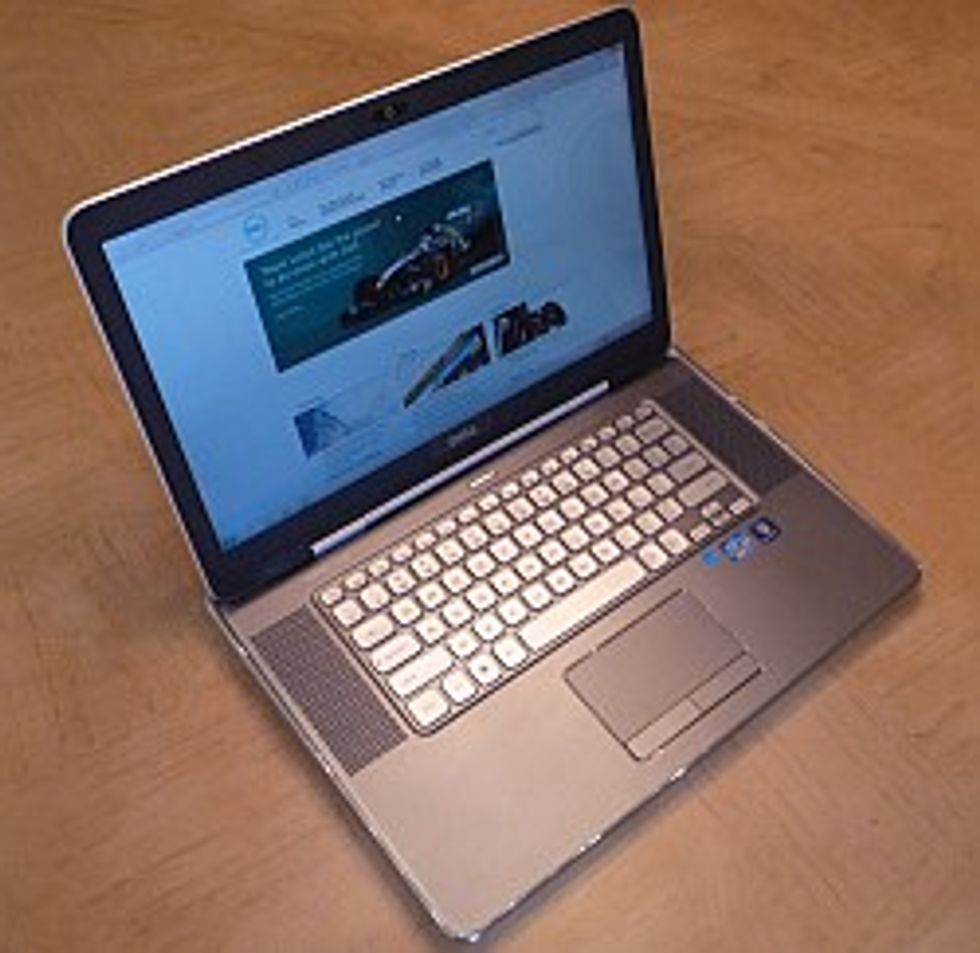
Given the large size of the body and keyboard, I'm also disappointed at the lack of dedicated Page Up/Page Down/Home/End keys. Instead, to get this functionality, the user must first press the Function key. It's a puzzling decision, given the amount of leftover room around the keyboard.
The trackpad is fairly large but responsive, and it tracks smoothly across the screen. Users can initiate mouse actions either by double-tapping the pad or by using a separate set of moue buttons.
The XPS 15z comes with a small array of the usual bloatware one finds pre-loaded on laptops these days. At least in this case, most of it is benign or even useful: A trial subscription to Norton Antivirus, Microsoft Office 2010 Starter, Roxio, and (an interesting twist) Dell's Stage UI -- the custom interface from the Inspiron Duo and Streak phone. Personally, however, I like ObjectDock better.
There's also an Intel utility to show when the processor's Turbo Boost feature is kicking in -- as though anyone but an overclocking geek would care. These can all be uninstalled quickly if desired.
Not So Hot -- But Still Warm
Dell re-engineered the XPS 15z for better heat dissipation, although I could still sometimes feel the heat coming from the rear exhaust port. I also noted that the left side of the keyboard, right where my hand rests, could get rather warm. It's not excessive, and it doesn't affect performance, but it's noticeable. Using a laptop cooler, however, eliminated the problem entirely.
The XPS 15z is undeniably a fast machine; it booted in just 25 seconds, restarted from hibernation in less than five seconds, and handled a multi-app workload easily, without hesitating or slowing down. Applications start fast and close immediately.
Dell's target market is the "prosumer," which also makes this laptop ideal for business power users. The 750GB drive offers plenty of storage capacity, and you can always use the Micro SD port or connect an external USB 3 drive to add more storage.
The limited hardware warranty is the standard Dell Basic one-year mail-in service plan. It includes in-home remote service and battery replacement for the first year.
The XPS 15z definitely brings high performance to a very thin form factor, and the unit's minor heat-dissipation issues can he alleviated with a good laptop cooler. The screen is a wonder to behold both for fine text and rich graphics. It never hesitated and was pretty hard to bog down, especially with 8GB of memory, and the price is certainly right for the level of performance this laptop offers.
Dell XPS 15z
MSRP: $1,534 as tested (Intel Core i7 processor, 8GB RAM, 750GB HDD, 802.11n Wi-Fi)
PROS:
- Lots of power in a very slim package
- Large, roomy keyboard
- Excellent high-resolution display
CONS:
- Runs a bit warm
- Glossy screen is prone to glare and smudges
- Wider than usual for a 15-inch laptop
THE BOTTOM LINE:
The Dell XPS 15z packs a lot of power into one of the slimmest laptop form factors on the market.