It is not at all unusual for users to neglect to enter a customer and job for each transaction. Sometimes this can be due to an omission. Other times it’s because users are entering non job expenses such as utilities or office supplies. This article is about how to find and correct omissions and why it’s a good idea to set up a “G&A” customer and select this as the customer for all non-job related transactions.
First, let’s talk about why it’s a good idea to set up a “G&A” customer and select this as the customer for all non-job related transactions. The advantage is that, if you assign a customer / job to all of transactions your “Profit & Loss standard” report will always agree with your “Profit & Loss by Job” report.
Now let’s talk about how to locate costs not assigned to a customer / job. Open a “Profit & Loss Standard” report and change the column selection to “Payee”. Each column header will represent one of three situations. It will either be a legitimate customer or job; it will be the name of a vendor, employee, or “other” name; or it will say “No Name” as shown below.
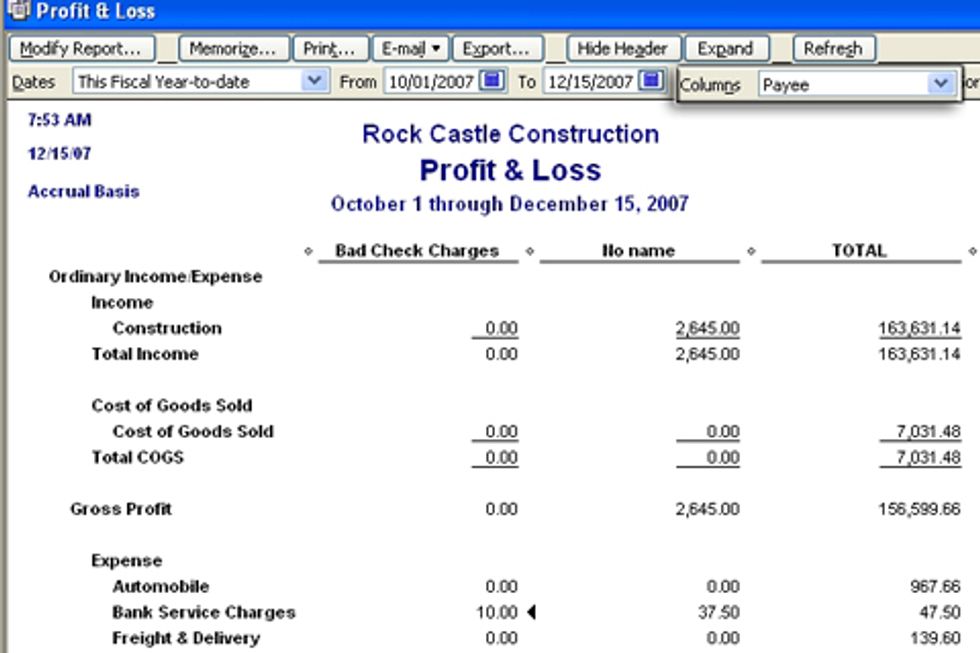
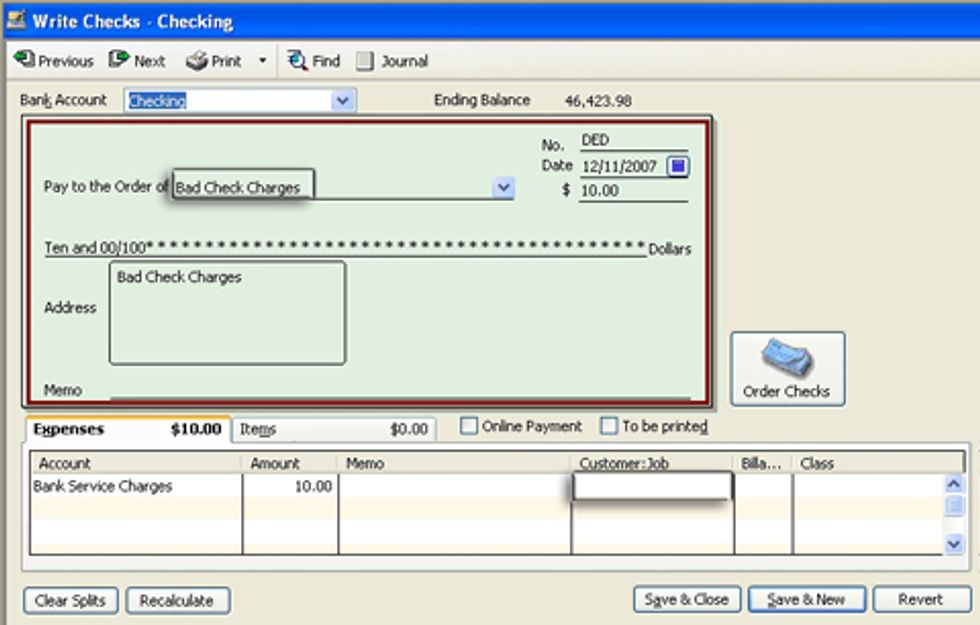
In our example, “Bad Check Charges” was set up as a vendor. If we drill down to the check, we can see that, because no customer or job was assigned the column header defaulted to the payee. If we were to assign a customer or job to this transaction, it would re-appear in the customer or job column instead of the vendor.
Transactions in the “No Name” column are most likely journal entries that have been assigned neither a payee nor a customer or job. In this case you can edit transactions to assign a customer or job. This should show the advantage of creating and assigning a “G&A” customer so that the column totals in the P&L by Job will agree with the P&L report.
Robert Guild designs specialized reports and automated analysis tools for QuickBooks clients to make decisions they can trust. He is a member of Intuit DeveloperNet and an Advanced Certified QuickBooks ProAdvisor. Visit www.ReportsUWant.com to see pre-designed analysis tools ready to buy or contact him about developing applications for your specific needs at rguild@ReportsUWant.com. You can also follow him on twitter at QBPro