Videoconferencing Etiquette
There’s nothing quite like shaking someone’s hand, conducting a face-to-face meeting, and then heading out for lunch together. But when multiple people, travel costs, and packed schedules are involved, sometimes videoconferencing is an attractive alternative.
As these meetings become more prevalent, it’s important to familiarize yourself with proper etiquette. For example, you wouldn’t show up late to any other meeting, dress inappropriately, or constantly read your e-mail.
Check out these videoconference-specific rules of conduct and feel confident that you won’t offend anyone the next time you turn on the camera.
Before the Meeting
Prepare an agenda: Make sure that all participants have the agenda and any other materials well before the meeting.
Eliminate environmental distractions: Consider anything that could detract from the conference, such as excessive light coming in through a window or noise from a hall. Ask other people in the office who have used the room for meetings about any problems they may have experienced.
Adjust the equipment: Make sure that everyone is visible and centered in the view so that you aren’t moving the camera during the meeting. Place the microphone in a location where everyone can be heard and away from places where people will be moving papers or creating other distracting noise.
Arrive early to test the connection: No one wants to listen to “Can you hear me OK?” for five minutes after the meeting was supposed to start. Also make sure everyone is in their seats before the scheduled time.
Choose one speaker per site to answer general questions: If another participant wants to know whether your office has implemented a particular policy, for example, everyone won’t be talking at once.
During the Meeting
Introduce everyone: If the participants don’t know each other, have them introduce themselves. Consider setting up nameplates if there are multiple people who haven’t met before.
Act normal: Look straight into the camera, speak like you normally would, and use natural gestures.
Don’t be distracted: Checking your Blackberry every couple minutes or looking around the room can distract other participants. Focus on the meeting and don’t try to get other work done.
Avoid side conversations: If you absolutely have to discuss something privately, mute your speaker. Address any anticipated issues with members of your office before the conference.
Limit your movement: If you’re speaking, try not to use big gestures. These may disrupt the picture transmission and cause delays in everyone's communication.
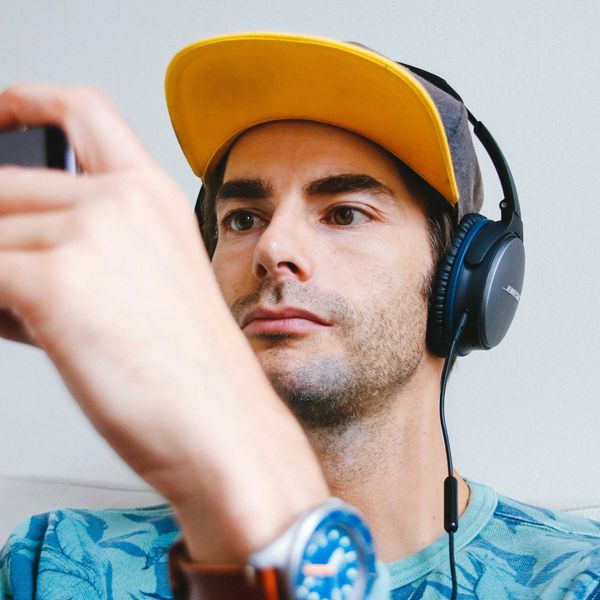
Don’t wear distracting clothing: This doesn’t mean that you have to wear gray, but avoid bright colors, busy prints, and large, shiny pieces of jewelry. In other words, no videoconferences on Hawaiian Shirt Day.
Don’t talk over each other: Keep in mind that there could be a delay; if it seems to take someone a few seconds to respond, be patient. Set up rules for speaking, if appropriate.
Don’t bring food into the meeting: Eating is just one more potential distraction and won’t be appreciated by hungry participants.
Once the videoconference is winding down, if someone still needs to discuss something, arrange to talk afterward. Don’t hold everyone else up if the topic doesn’t pertain to most other participants.
You may think it’s OK to briefly joke with the person sitting next to you or to leave the room quickly for a third cup of coffee, but imagine everyone on camera doing the same thing and the disruption they would cause. In general, when participating in a videoconference, do what you can to minimize distractions and make the meeting as efficient as possible.