
QuickBooks developers understand the power of Excel to create customized analytical tools. That’s why they created an easy way to move QuickBooks data to Excel. Here’s how you can use grouping and outlining to analyze product sales, customer purchase patterns, and profitability by product and customer.
The first step I took was to create a memorized report in a format I could use in Excel. I used the Custom Transaction Detail report to filter and design the report filters and layout and, then, memorized that report. After that, I can call it up from the memorized report list. All I have to do is change the date range if I want and export it to my Excel template.
Even the parameters for exporting are saved, including the Excel workbook I want to export to. All I have to do each time is to select the worksheet and, then, export. 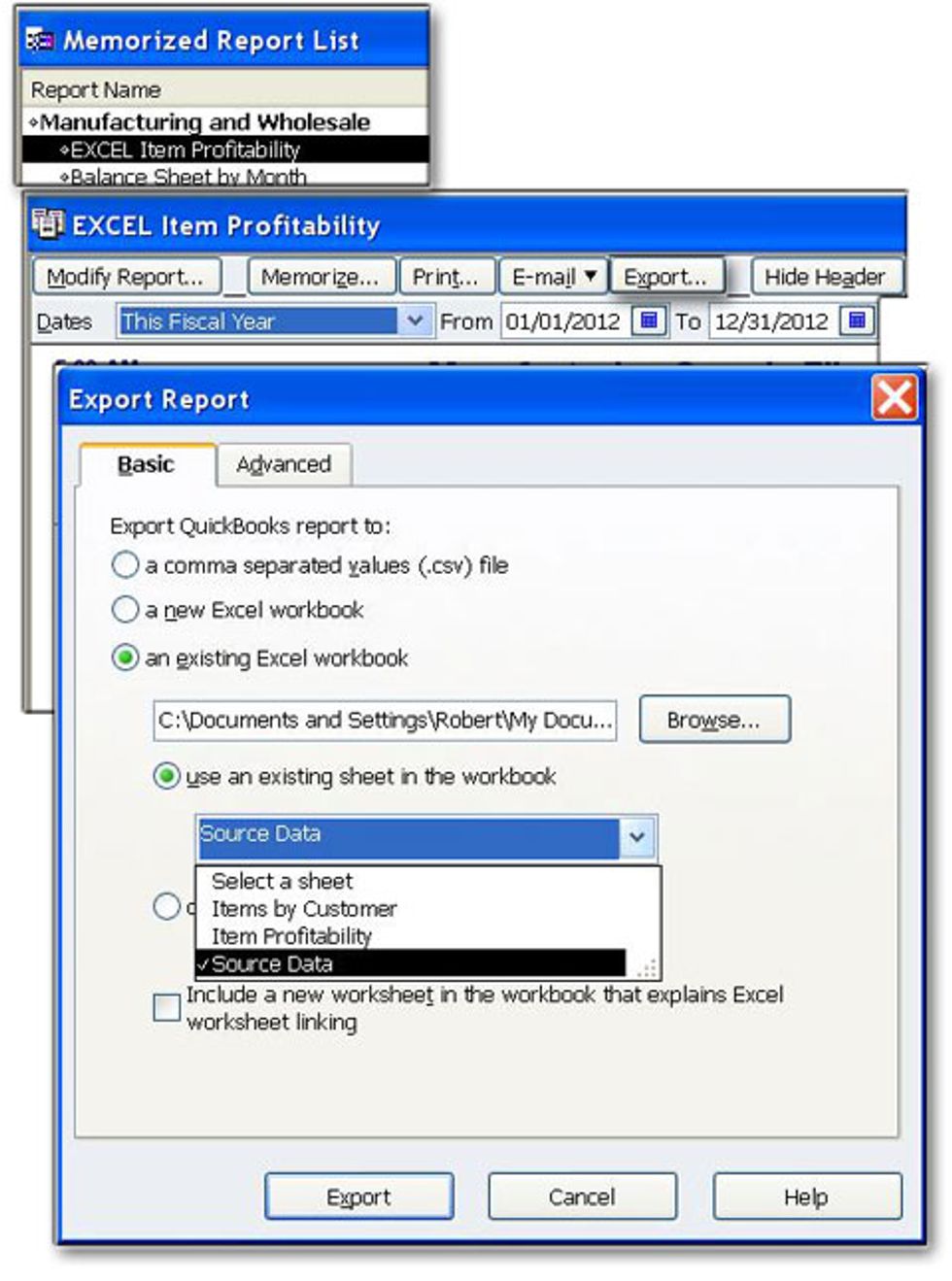
Now, let’s look at the power of Excel’s grouping and outlining functions. With a little VBA programming magic, the following reports were just one click on a toolbar away. The report below is at outline level 2 for rows and presents us with a summary of products purchased by customer with quantities, profits, and margins. 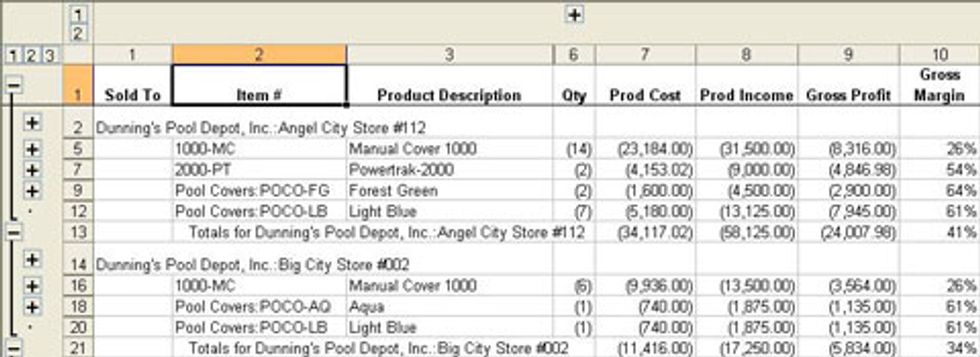
At level 1, we can see profits and margins at a customer level. 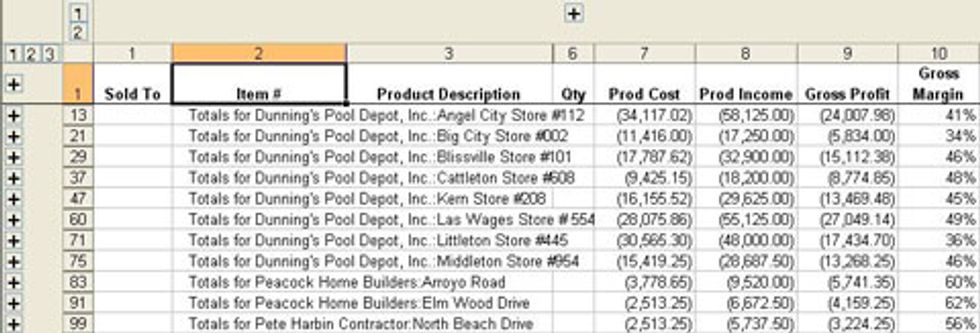
Let’s look at an outline report by product. The report below is at level 1 for columns and rows, allowing us a quick view of product sales profits, and margins. 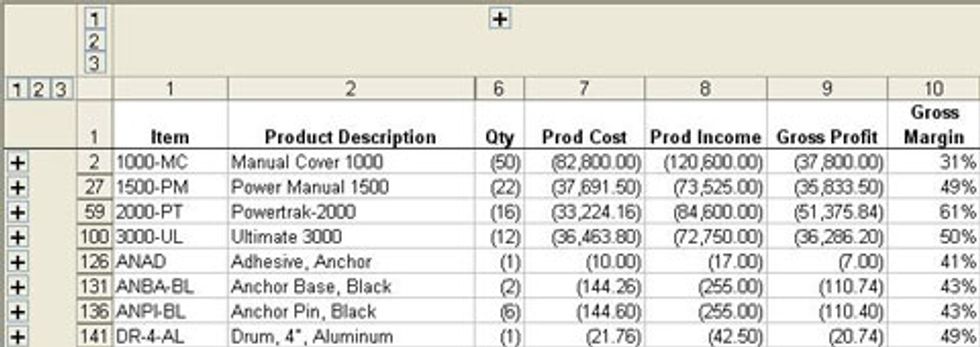
If we switch to level 2 for rows and level 2 for columns, we can see which customers are buying each product, their individual purchase volumes, profits made, and margins. 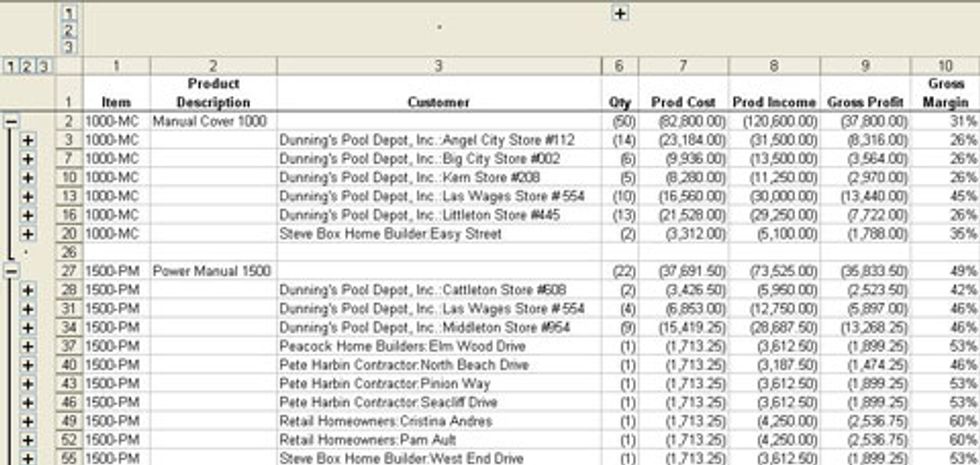
If we switch to level 3 for both rows and columns, we can look at purchase dates and volumes, which gives us an idea about purchasing patterns that can help us time promotions and other sales efforts. It can also help us identify interruptions in purchase patterns that might indicate a loss of business to an alternate supplier. 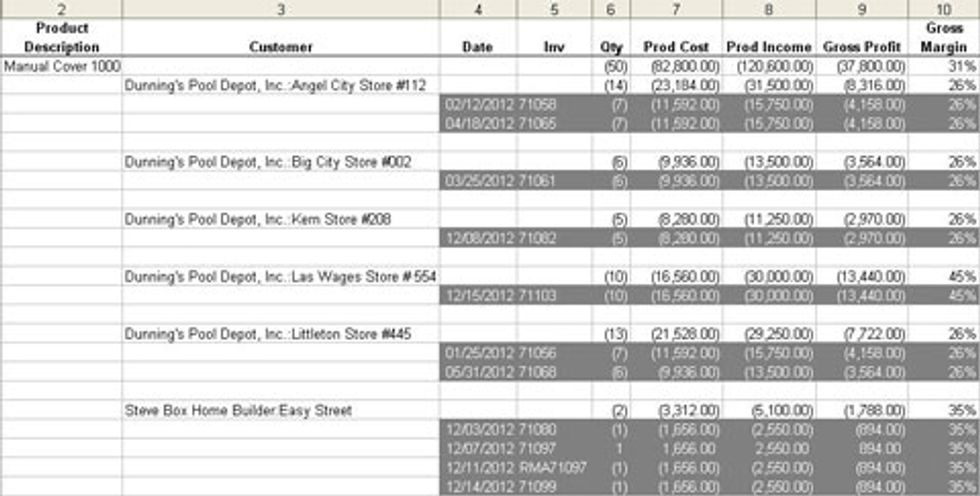
As you can see, QuickBooks provided the launch pad to a much higher level of interactive analysis with Excel.
Robert Guild designs specialized reports and automated analysis tools for QuickBooks clients to make decisions they can trust. He is a member of Intuit DeveloperNet and an Advanced Certified QuickBooks ProAdvisor. Visit www.ReportsUWant.com to see pre-designed analysis tools ready to buy or contact him about developing applications for your specific needs at rguild@ReportsUWant.com. You can also follow him on twitter at QBPro


Profile: Robert Guild
Robert Guild is a QuickBooks Certified ProAdvisor, trainer, and accounting consultant offering group and individual training to CPAs, clients, and students.

