
QuickBooks makes it easy to void checks. The problem is that simply voiding checks in prior fiscal periods results in your cash basis accounting records no longer matching your cash basis tax returns. If we don't want to file an amended prior year tax return, someone has to go back, spend time to identify the reconciling differences, and make adjusting entries to defer those changes into the current tax year. Here's how to do it when we void the check and avoid the hassle.
First, let's take a look at the problem.
Let's look at a cash basis income statement that was used in preparing the prior year tax return and see the effect of voiding a check after that return was filed. 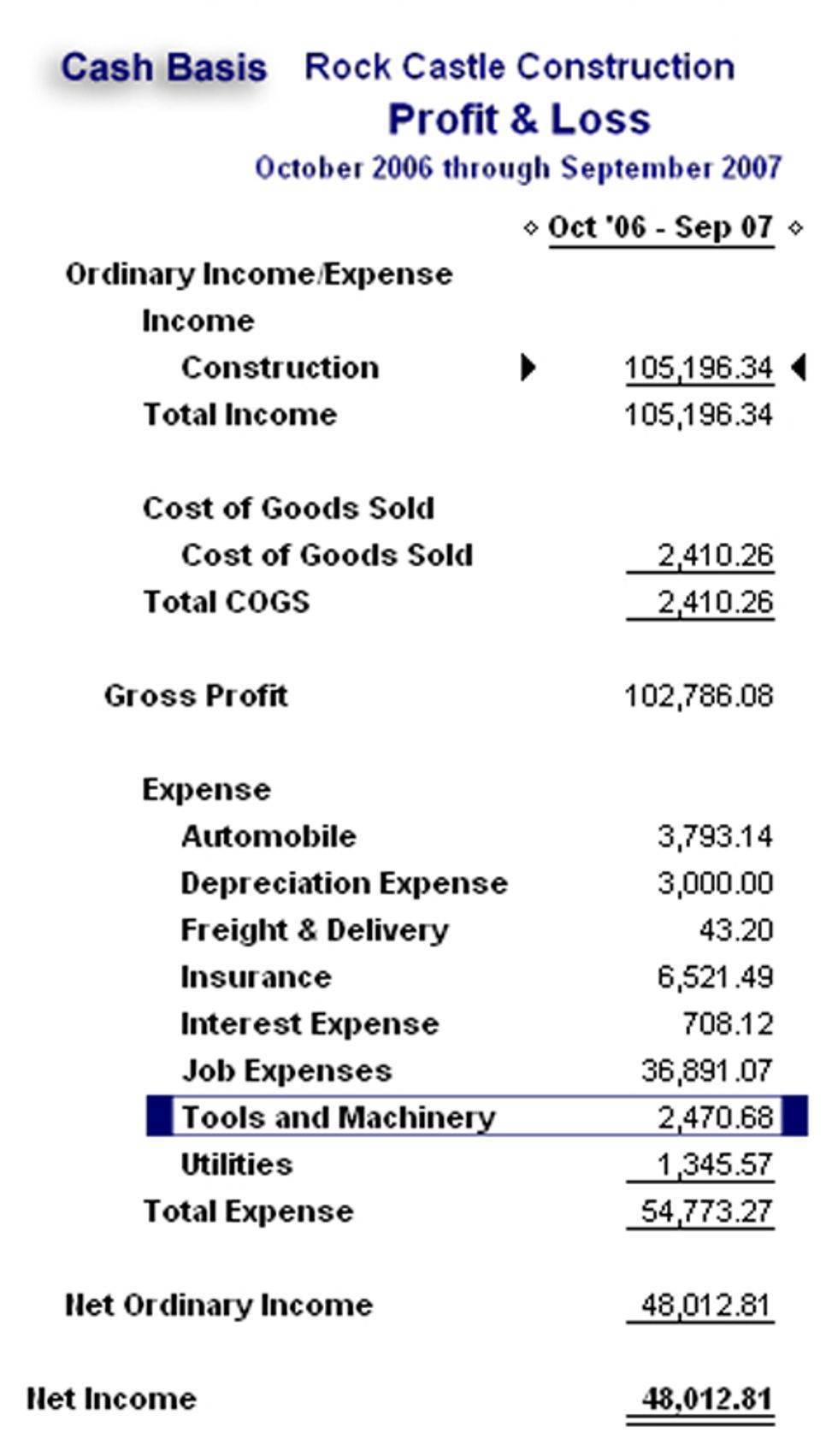
Now, on December 15th, lets void check #145, written on April 1st of that fiscal year, which ended on September 30th and look what happens to our September 30th income statement. 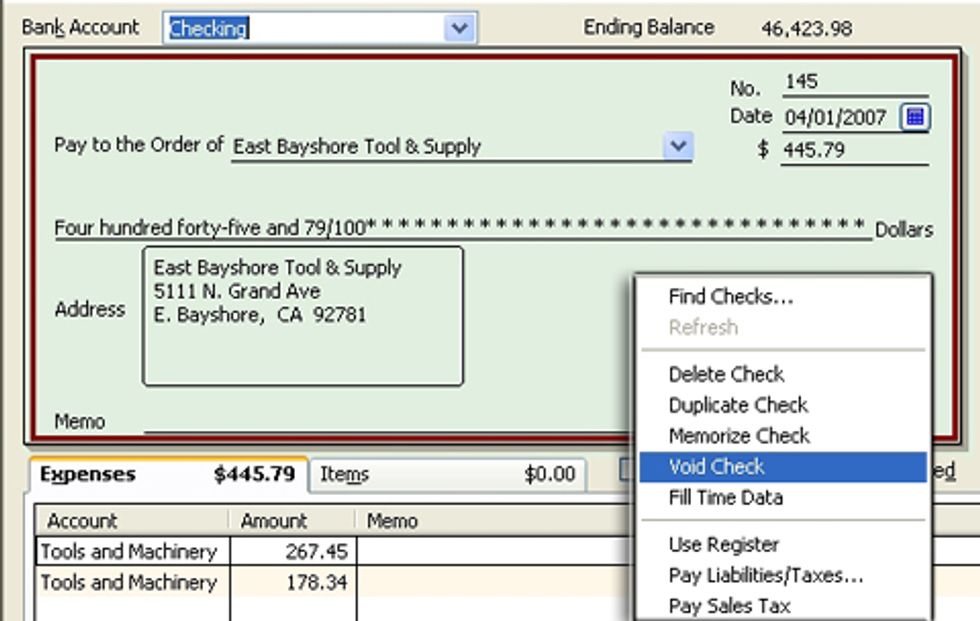
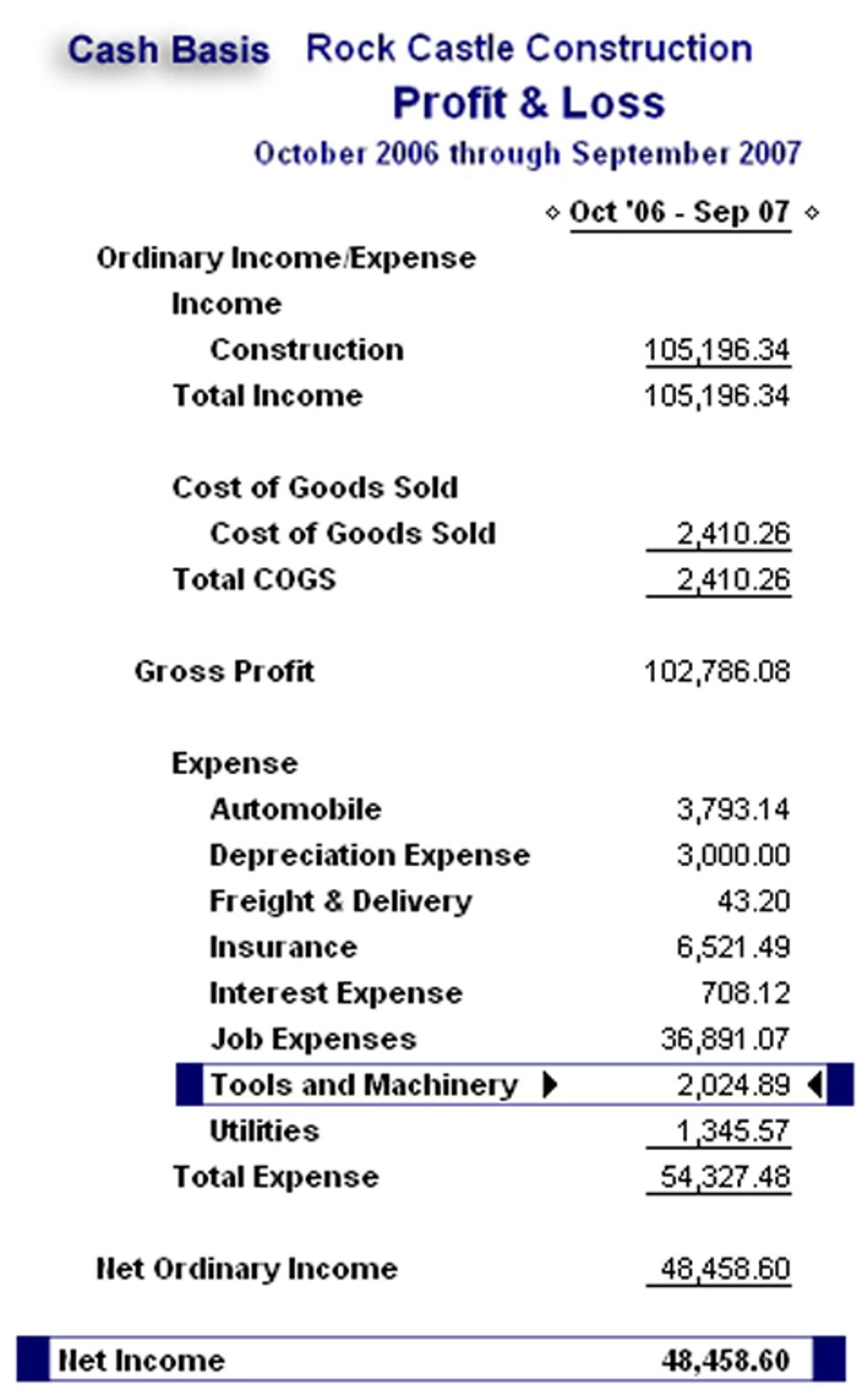
As you can see our, "Tools and Machinery" expense has been reduced by $445.79, the amount of our voided check, and our Net Income has increased by the same amount. Schedule L, required in corporate tax returns, is a statement of changes in financial position. The first column in that schedule is the ending balance sheet from the prior year return. Since the ending balances for the prior year in our QuickBooks file no longer match the beginning balances for the current year tax return our accountant or tax preparer has to spend time and your money locating the reasons for the discrepancy.
If we use the following process, we will, in effect, move financial consequences into the current tax year and continue to match our prior year accounting records with our tax return.
First, we void the check, which will increase our prior year end cash balance, reduce our "Tools and Machinery" expense, and increase net income. Next, we make an adjusting journal entry that restores the cash and expense balances to those in effect before we voided the check. Note that the date is the same as the check date and that in the memo field we identify the number and date of the voided check and the date in the current fiscal year that we voided it. In addition, the journal entry number is and "A" followed by the check number. 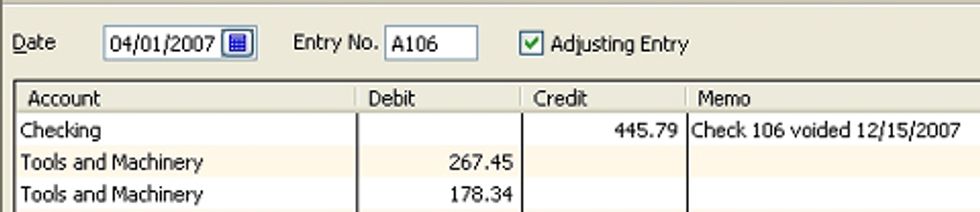
We then reverse that journal entry in the current fiscal year so that the reduction in expense and increase in cash is reported in the current year on our books and on the current year tax return. 
Let's look at the effect of these entries. 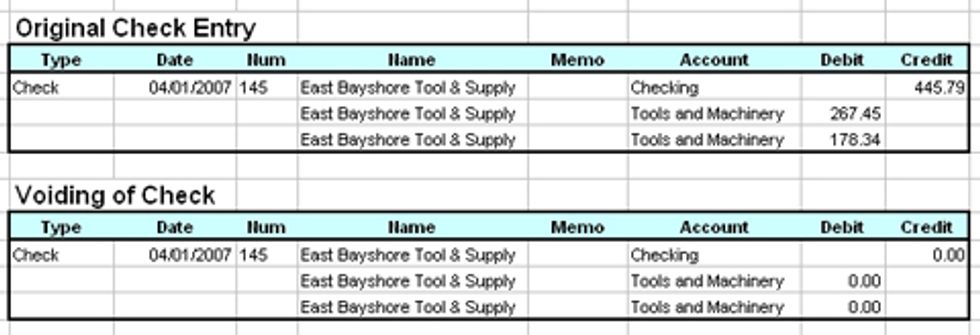
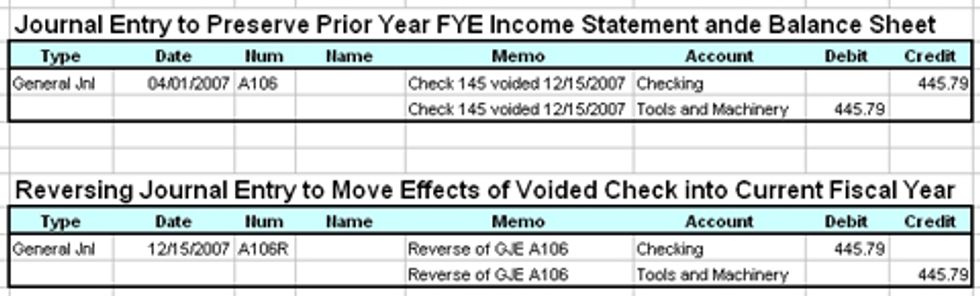
Our prior year book balances continue to match our prior tax book balances and we report the reduction of expenses in the current year.
Robert Guild is certified QuickBooks ProAdvisor in Austin, TX who conducts CPE courses for CPAs and individual training and group classes to QuickBooks users. His company at www.QBCoach.biz, maintains a sixteen-station QuickBooks lab, providing hands-on training. You can contact him directly at rguild@QBCoach.biz or follow him on twitter at QBPro


Profile: Robert Guild
Robert Guild is a QuickBooks Certified ProAdvisor, trainer, and accounting consultant offering group and individual training to CPAs, clients, and students.

