
Many QuickBooks users don’t know how flexible QuickBooks can be in meeting their needs. I have described below an example how QuickBooks can be set up for a real estate investor.
Notice that I customized the icon bar so that the tasks and reports most often needed are one click away. 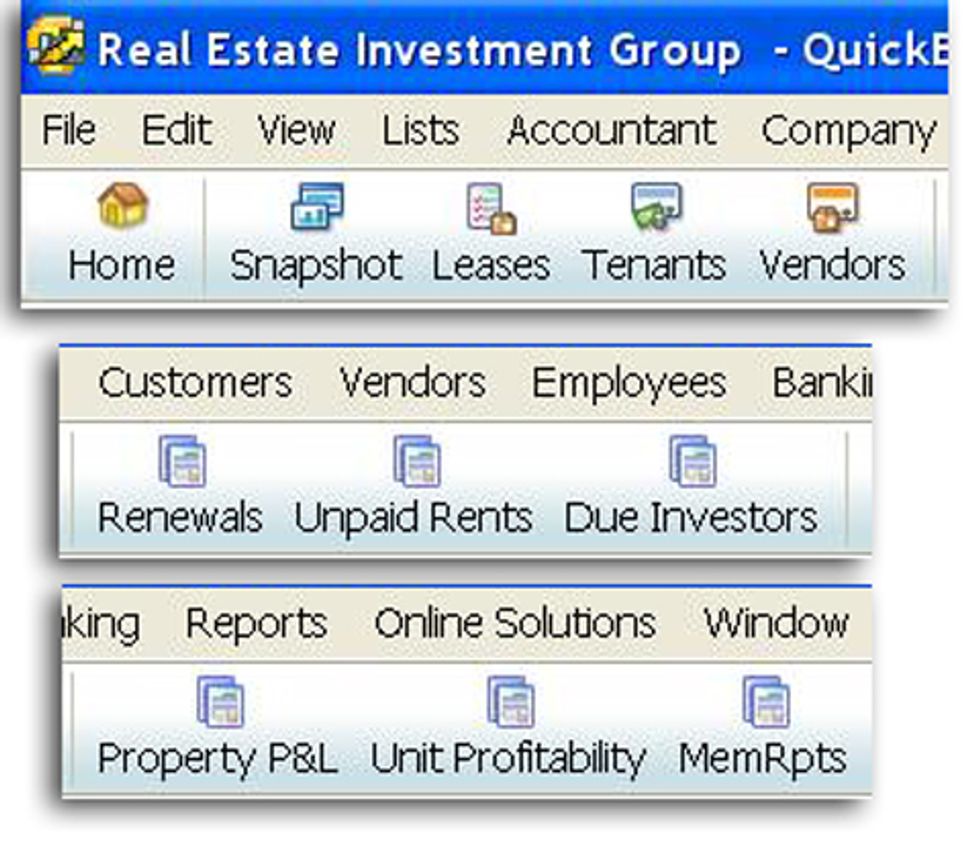
I have created custom fields in for the items/properties to help with reporting and managing available properties. 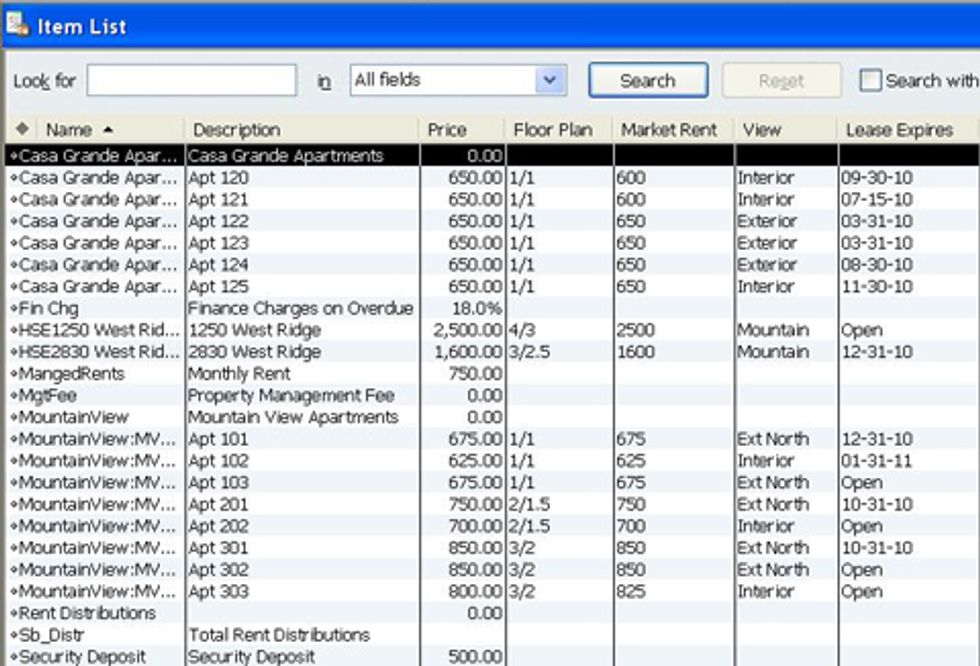
I fully automated the invoicing process using QuickBooks “memorized transactions” 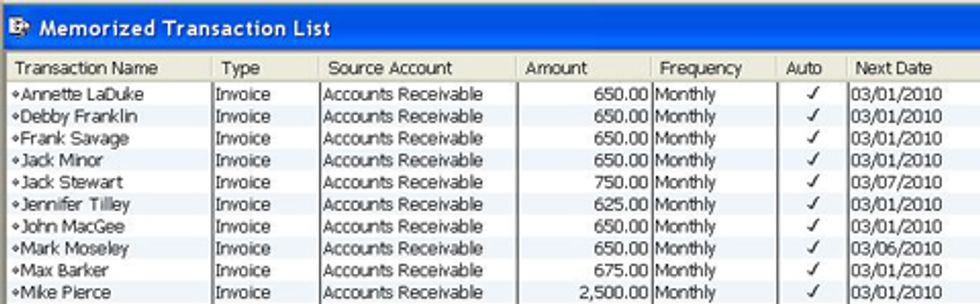
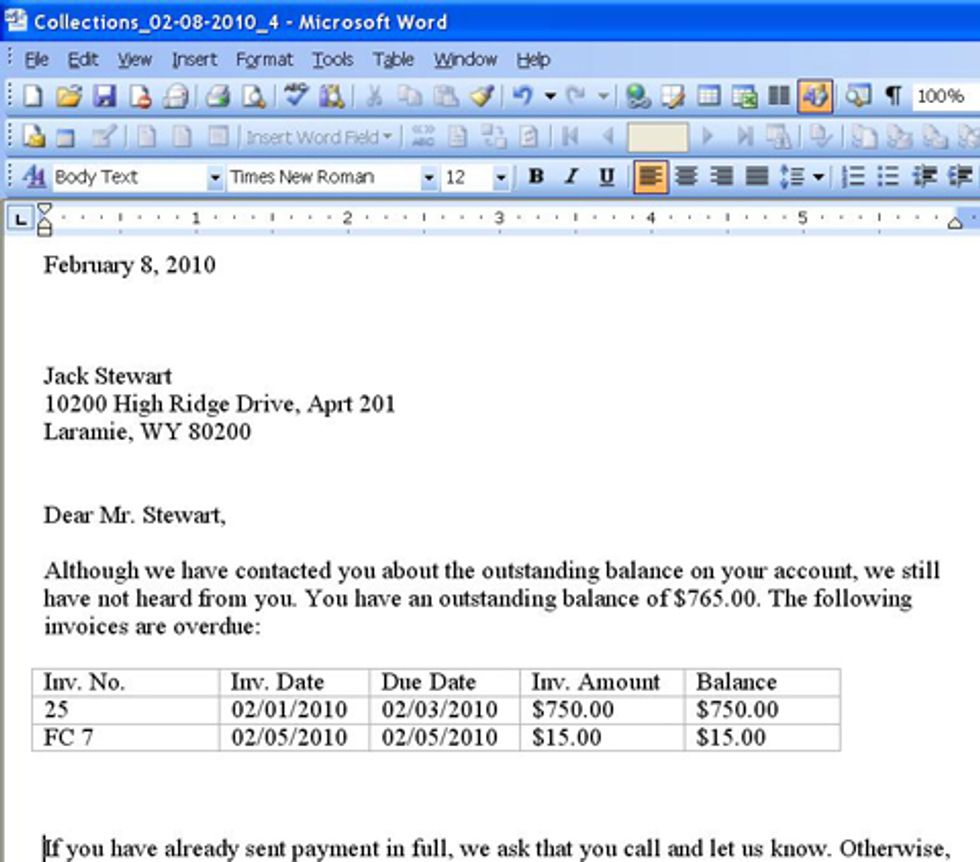
Assessing late payments fees is a snap when you set your tenant payment terms properly. You can easily create collection letters in Word from within QuickBooks. 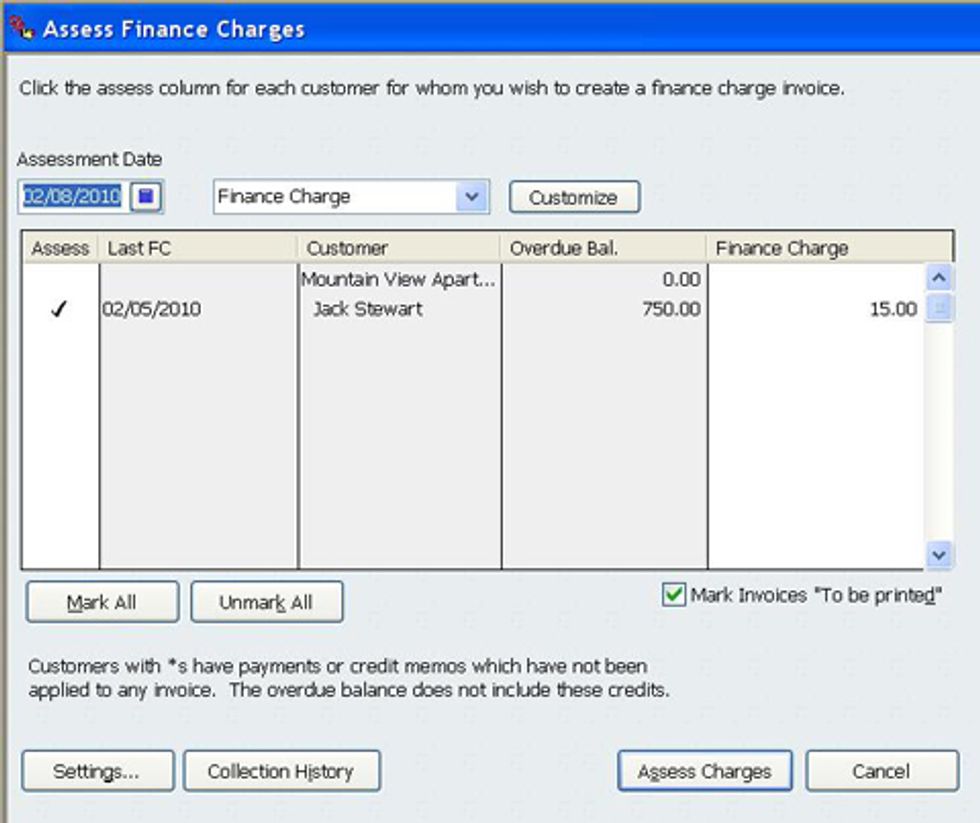
Analyze profit and loss by property 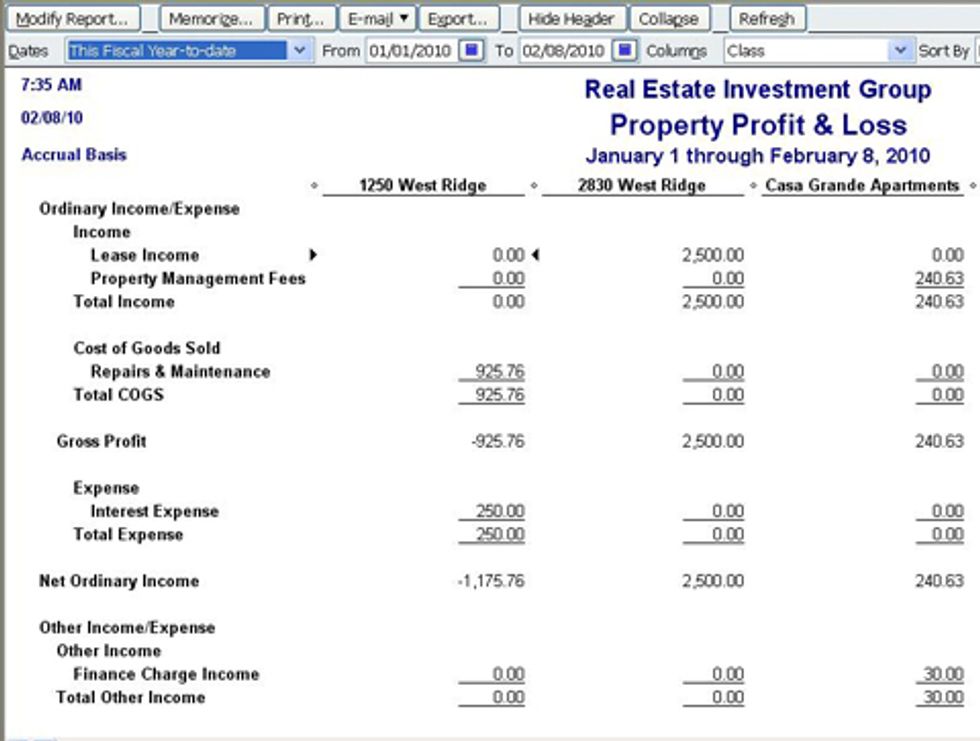
Analyze costs and revenues by apartment unit 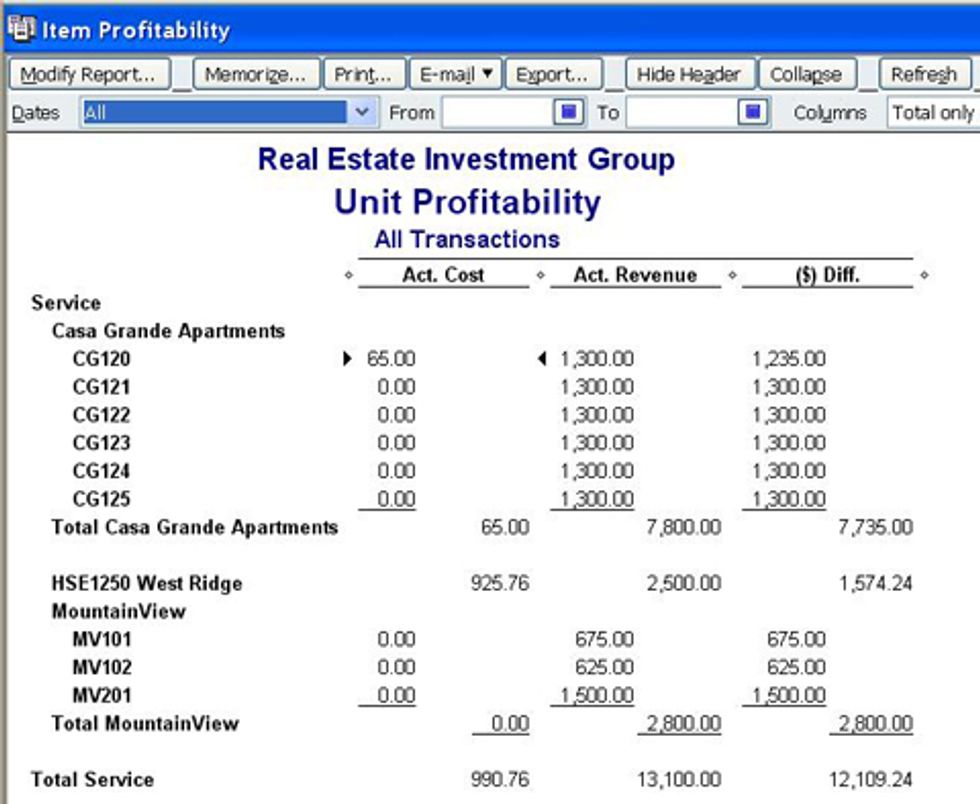
Use the “Loan Manager” feature to calculate loan amortizations and schedule automatic entry of bills or checks to be printed for loan payments. 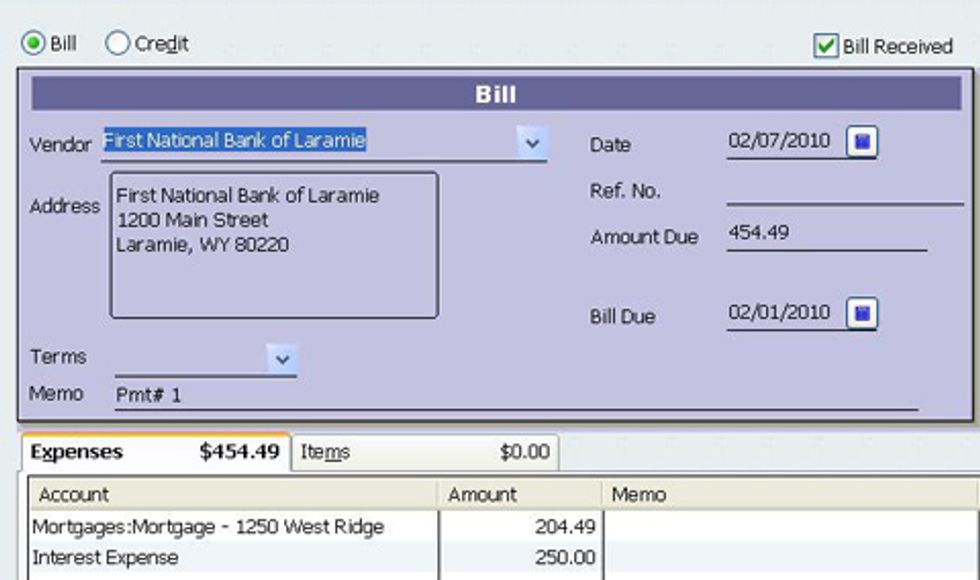
I even created a programmed ODBC connection between QuickBooks and Excel to create and post a detailed rents distribution check to the property owner less the management fee. 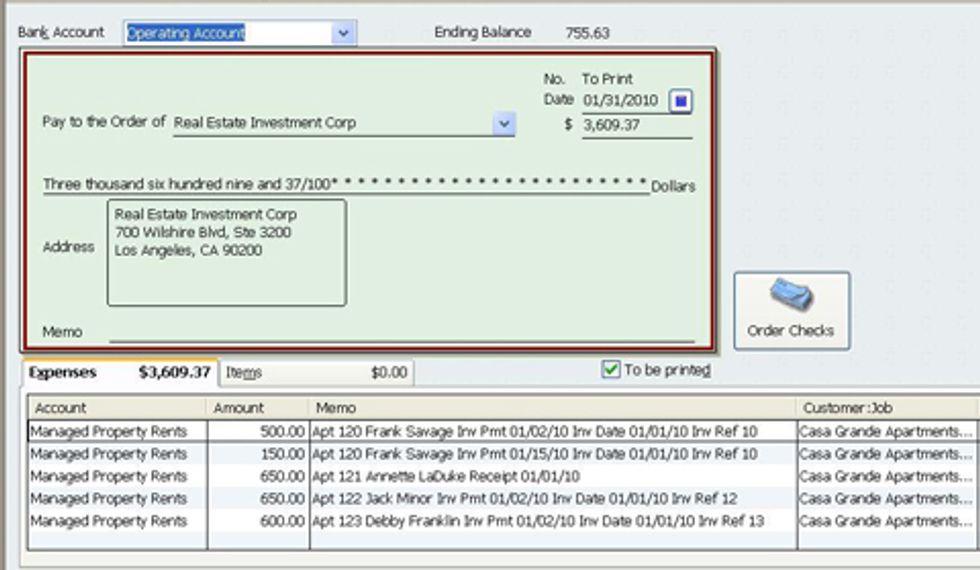
While there are applications specifically designed for property managers on Intuit Developer Net that interface with QuickBooks, there is a lot of room for the small investor to do this in QuickBooks.
Robert Guild is Advanced Certified QuickBooks ProAdvisor in Austin, TX who conducts CPE courses for CPAs and individual training and group classes to QuickBooks users. His company at www.QBCoach.biz, maintains a sixteen-station QuickBooks lab, providing hands-on training. You can contact him directly at rguild@QBCoach.biz or follow him on twitter at QBPro


Profile: Robert Guild
Robert Guild is a QuickBooks Certified ProAdvisor, trainer, and accounting consultant offering group and individual training to CPAs, clients, and students.

