I have been helping a client deal with reconciling individual credit card sales transactions recorded in QuickBooks as “undeposited funds” with the batch deposits to her bank account by her merchant service. While her merchant service probably could have provided a deposit detail by transaction, it would still lead to a time consuming task using “make deposits” to identify and select individual transactions in "undeposited funds" to group into each batch deposit to the bank account.
I showed her the easy way Intuit Merchant Services has provided to accomplish this time consuming task by simply pressing a button. Here’s how it works from recording the credit card charge to recording the bank deposit and the transfer of individual credit card charges from undeposited funds. Even the merchant fees are automatically recorded in QuickBooks.
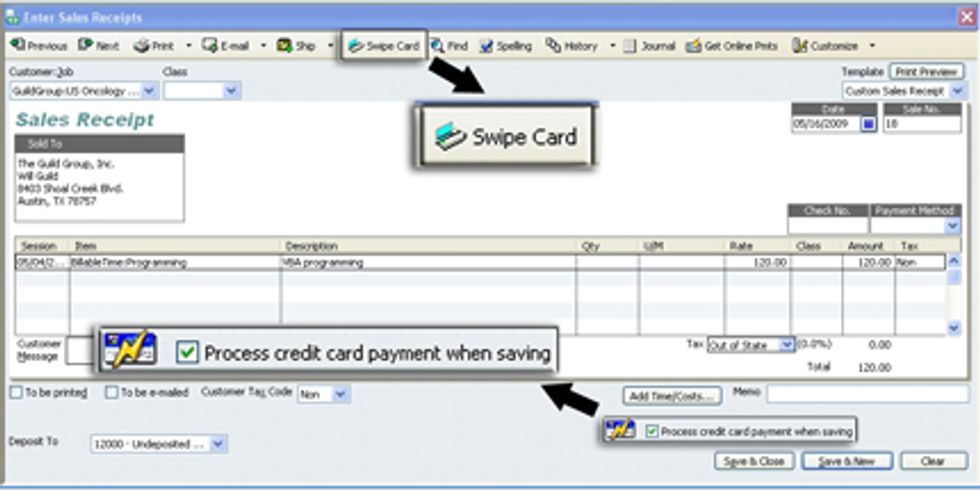
You complete and print your sales receipt. Then check the box at the bottom of the sales receipt form, “Process credit payment when saving”. If you have a credit card in hand, select “swipe card” and run the card through a card reader, which can even be a simple device connected through a USB port to your computer. When you save and close the sales receipt you will be ready to submit the charge for approval. With a card swipe, all you need to do is click “Submit” on the screen below.
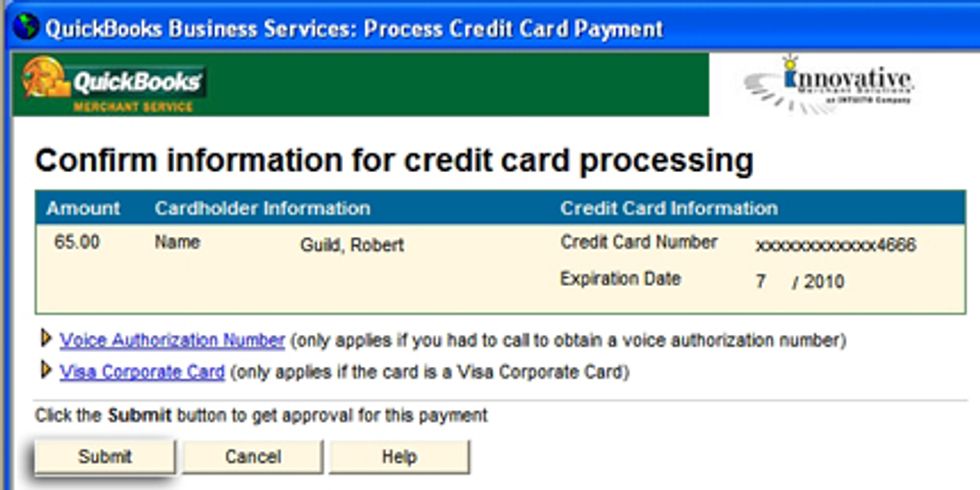
If you do not have a card and card reader on hand, you will still able to enter credit card information as you submit it for approval. If you already have a customers credit card information in your QuickBooks customer file, you will only need to enter the CCV code and click “Submit”.
 QuickBooks records the money to be received from the merchant account into “undeposited funds”. When the merchant account service makes charges available for deposit, QuickBooks handles the workload for you. Simply press the “Merchant Service Deposits” icon.
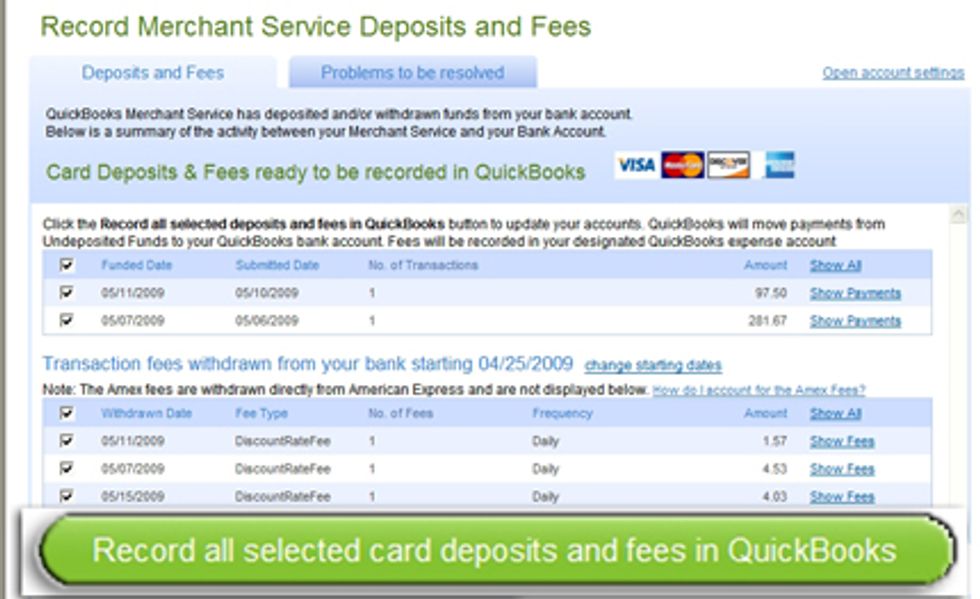
You have a display of desposits made to, and merchant service fees deducted from, your bank account. Usually you will select all transactions and click the “Record selected card deposits and fees in QuickBooks”. QuickBooks will automatically perform the “make deposits” process, recording the transfer of individual credit card charges from “undeposited funds” to your bank account. It will also record the merchant service fees deducted from your bank account.
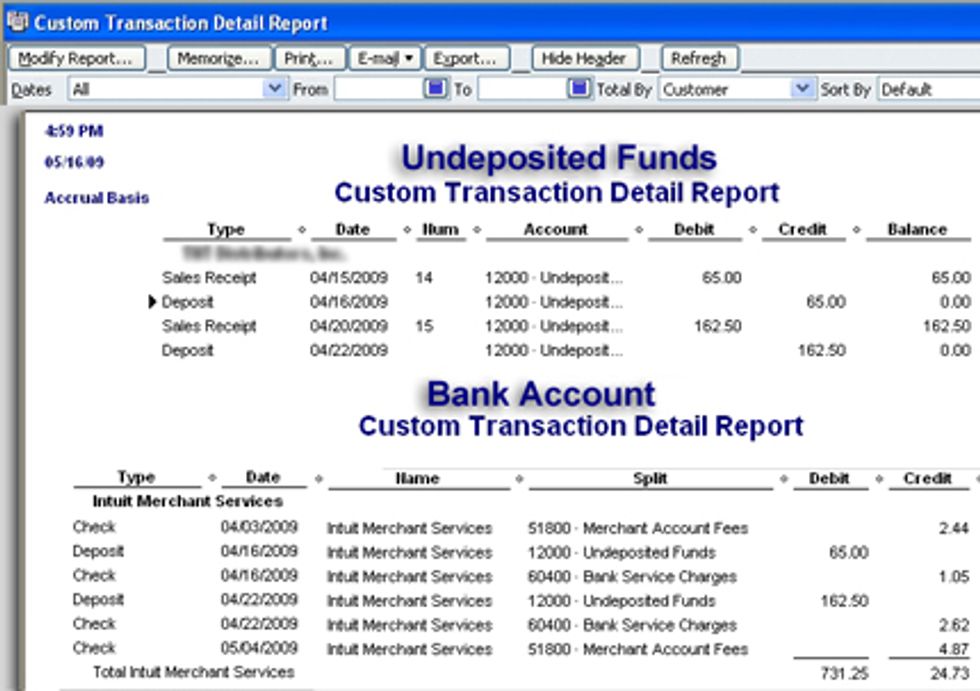
All of the work is done for you.
Robert Guild is certified QuickBooks ProAdvisor in Austin, TX who conducts CPE courses for CPAs and individual training and group classes to QuickBooks users. His company Accounting Insight maintains a sixteen station QuickBooks lab, providing hands on training. You can contact him directly at rguild@accountinginsight.biz or follow him on twitter at QBPro