When a customer pays for service with a credit card on the last day of May, for example, but the payment does not clear the bank until June 3, Do I record the deposit in May or June?
Normally, there is a day or two delay between the time a credit card charge is submitted and approved and the time the deposit is actually made to the bank. QuickBooks automatically sets up a clearing account, an "other current asset" account named "Undeposited Funds", to handle this delay. This allows the sale to be posted on the date of the transaction and the actual deposit to be deferred to the date of deposit, which makes bank reconciliations a snap; especially when multiple charges are deposited on the same day.
Below are the accounting entries in chronological order and, then, by income statement and balance sheet account.
| Accounting Entries as Posted in Chronological Order | ||||||
| Entry for Original Credit Card Charge | ||||||
| Type | Date | Name | Account | Debit | Credit | |
| Sales Receipt | 04/20/2009 | ASD, Inc. | Undeposited Funds | 162.50 | ||
| Sales Receipt | 04/20/2009 | ASD, Inc. | Training Income | 162.50 | ||
| Accounting entries upon automatic posting credit card deposit and fees | ||||||
| Transfer of funds from "Undeposited Funds" account to Bank Account | ||||||
| Type | Date | Name | Account | Debit | Credit | |
| Deposit | 04/22/2009 | Intuit Merchant Svs | Operating Account | 162.50 | ||
| Deposit | 04/22/2009 | ASD, Inc. | Undeposited Funds | 162.50 | ||
| Posting of merchant fees for credit card charge | ||||||
| Type | Date | Name | Account | Debit | Credit | |
| Check | 04/22/2009 | Intuit Merchant Svs | Operating Account | 2.62 | ||
| Check | 04/22/2009 | Intuit Merchant Svs | Bank Service Charges | 2.62 | ||
| Entries by Account | ||||||
| Type | Date | Name | Account | Debit | Credit | |
| Income Statement | ||||||
| Sales Receipt | 04/20/2009 | ASD, Inc. | Training Income | 162.50 | ||
| Check | 04/22/2009 | Intuit Merchant Svs | Bank Service Charges | 2.62 | ||
| Balance Sheet | ||||||
| Sales Receipt | 04/20/2009 | ASD, Inc. | Undeposited Funds | 162.50 | ||
| Deposit | 04/22/2009 | ASD, Inc. | Undeposited Funds | 162.50 | ||
| Deposit | 04/22/2009 | Intuit Merchant Svs | Operating Account | 162.50 | ||
| Check | 04/22/2009 | Intuit Merchant Svs | Operating Account | 2.62 | ||
For those QuickBooks users who use Intuit Merchant Services to process credit cards this accounting process is almost fully automated. From the "Enter Sales Receipts" form you can even swipe a credit card using an inexpensive card reader that plugs into a USB port on your computer. If you don't have the card available to swipe, you can enter the credit card information manually. If you already have credit card information in the customer master, it is automatically entered for processing with the exception of the "CCV" code. 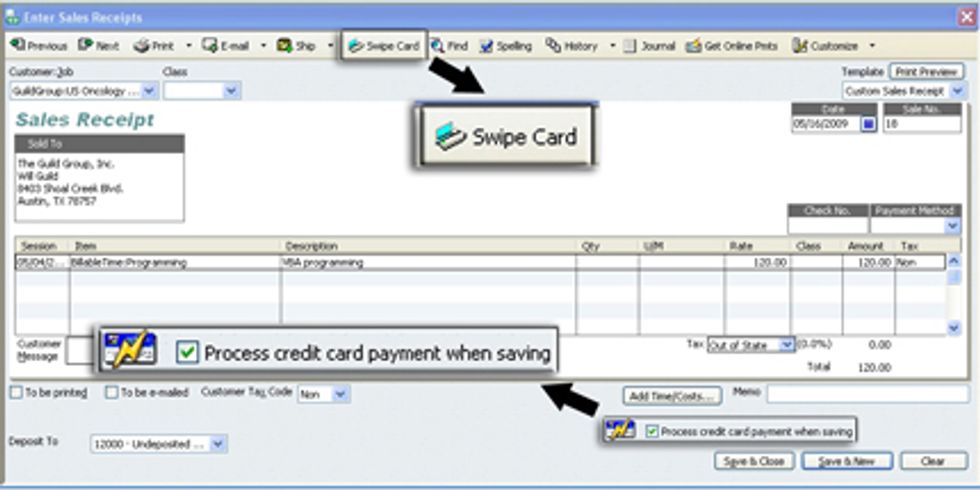
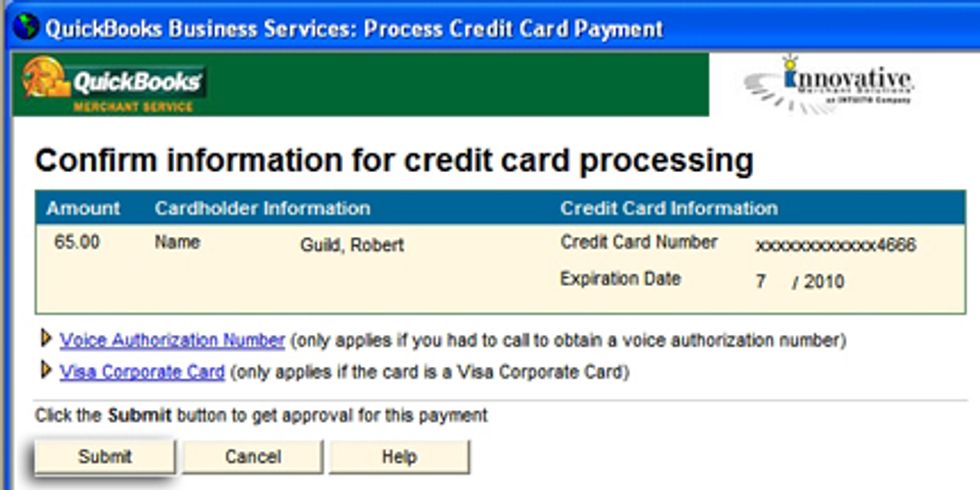
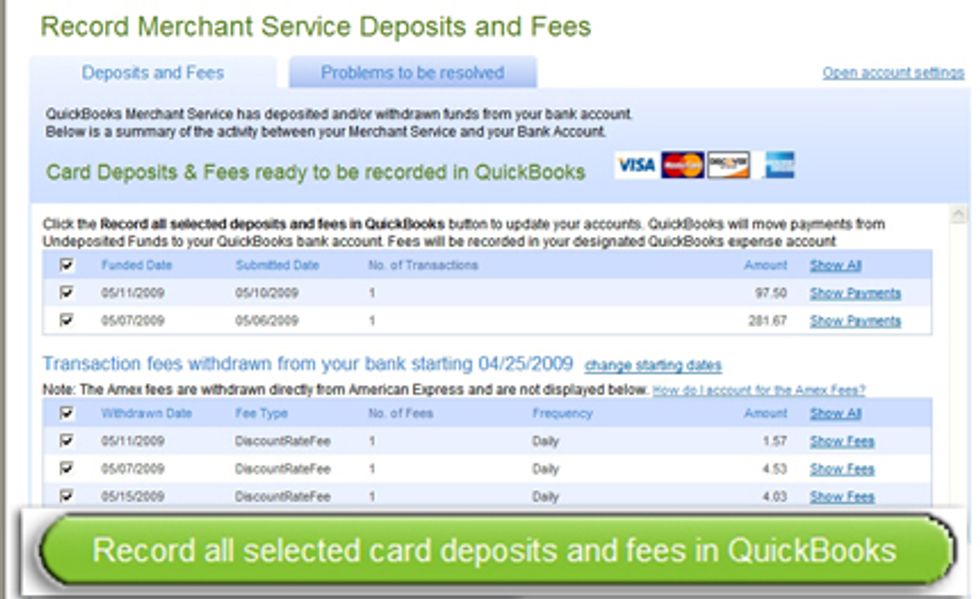
All you have to do to record merchant service deposits and fees is to select the "Merchant Service Deposits" icon on your home page to view funded credit card transactions and merchant fees. Then simply select the icon saying "Record all selected card deposits and fees in QuickBooks. 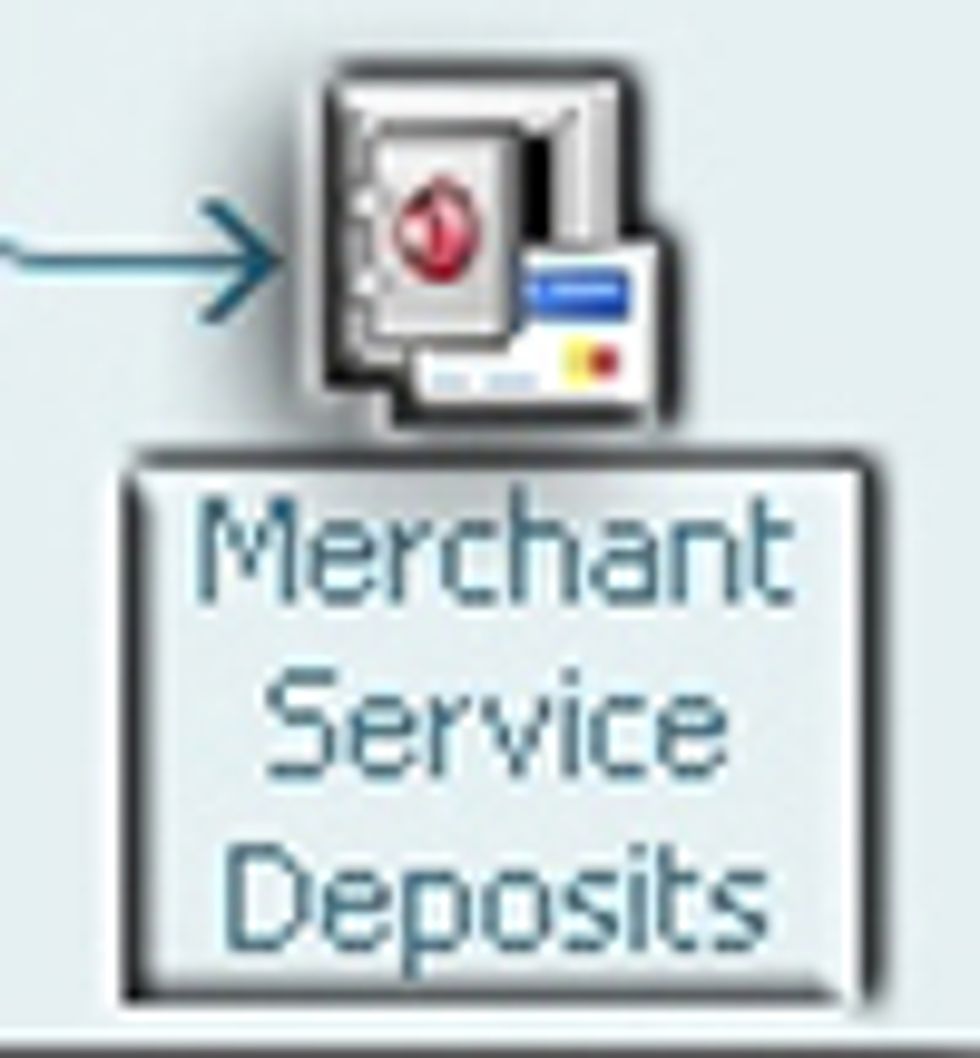
>Robert Guild is certified QuickBooks ProAdvisor in Austin, TX who conducts CPE courses for CPAs and individual training and group classes to QuickBooks users. His company at www.QBCoach.biz, maintains a sixteen-station QuickBooks lab, providing hands-on training. You can contact him directly at rguild@QBCoach.biz or follow him on twitter at QBPro